GuardPoint10 - Logs to Send
What logs to send us for a GuardPoint10 support ticket
If you are facing an issue with GP10, sending us the relevant files will help us troubleshoot the issue faster.
Step 1. Tell us what's wrong and when it started
- What isn't working, in a sentence or two.
- When it started, and roughly what time you noticed it.
- Which door, reader or controller is affected.
Step 2. Take a screenshot of any error
If an error message appears on screen, take a screenshot of the whole window and attach it to the ticket.
Step 3. Zip and send the Logs folder
GuardPoint10 keeps its logs in this folder: C:\ProgramData\ACS\Logs
- The ProgramData folder is hidden. The easiest way to open it is to type
C:\ProgramData\ACS into the address bar at the top of File Explorer and press Enter.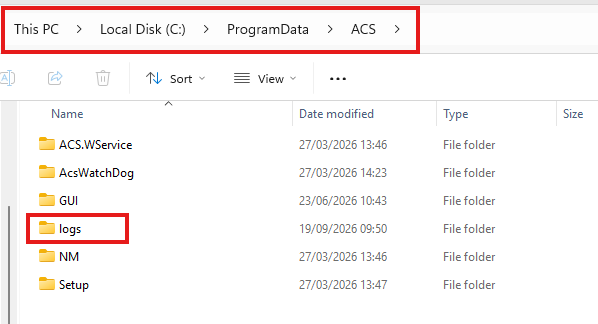
You can also go to View > Show > Hidden items in File Explorer.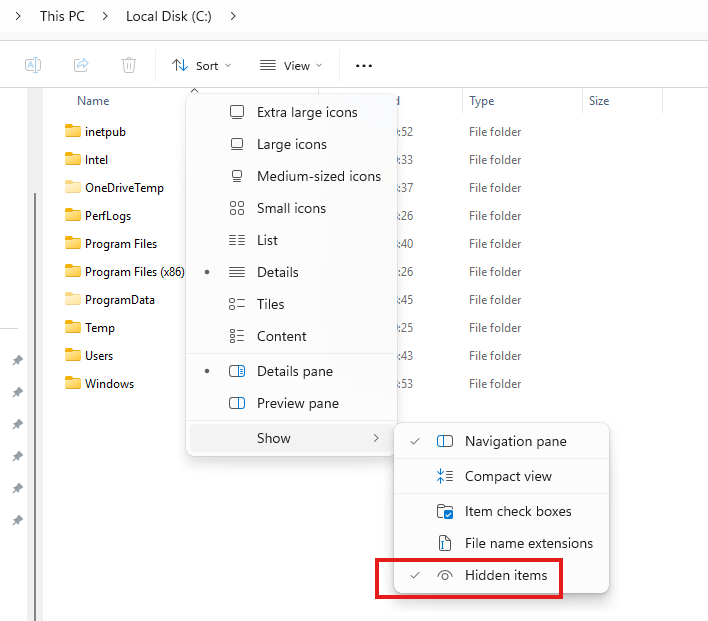
- Right-click the Logs folder and choose Send to > Compressed (zipped) folder.
Alternatively you can use the 7-Zip option: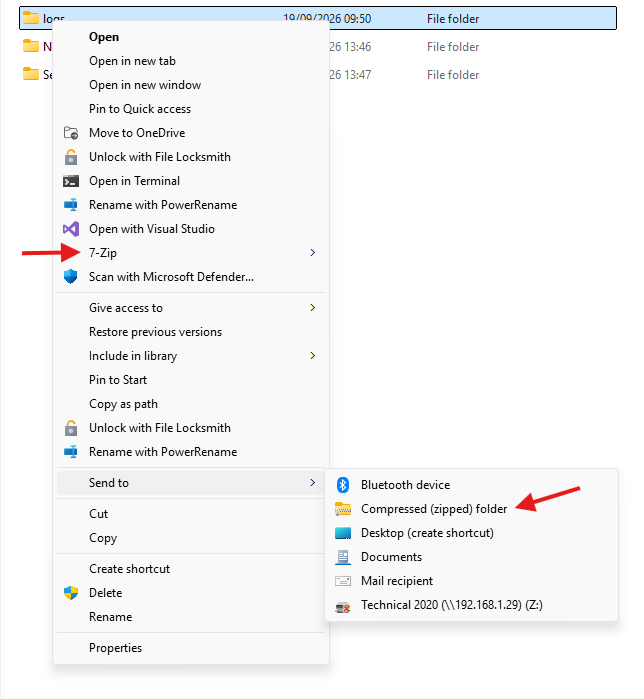
- Do this on the GuardPoint10 server and on the PC where the problem shows, if that's a different PC.
Step 4. Provide us with your GP10 details
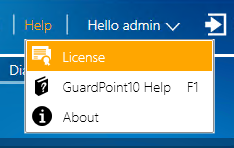
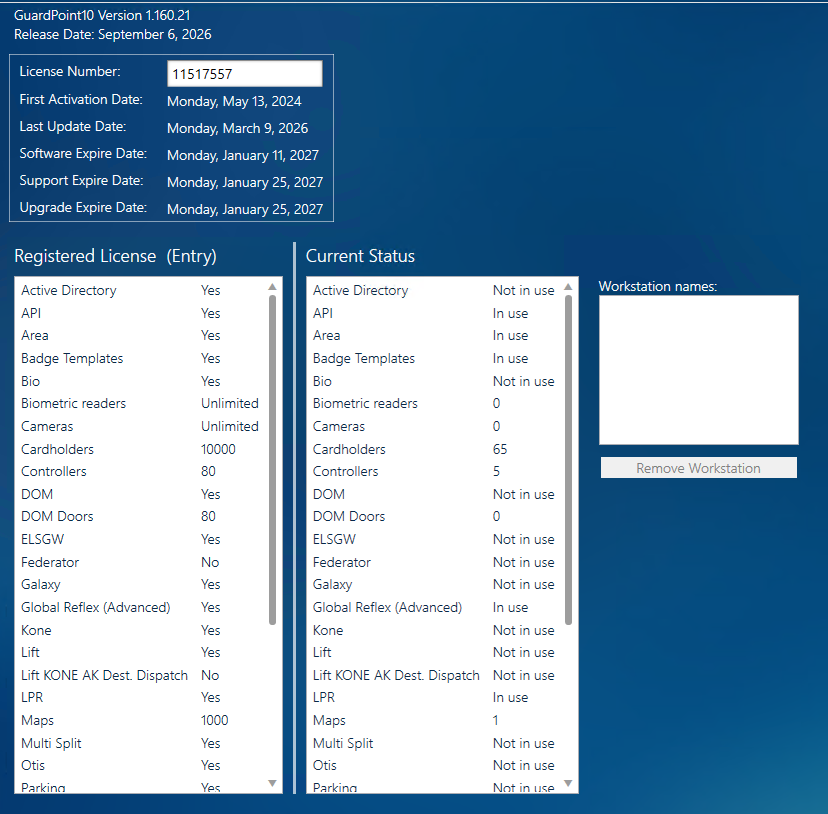
- Go to GuardPoint10 , click on Help -> License and screenshot this tab so we can see the GP10 version, license number and all available modules (as shown below). Please also include the site name.
If the problem is with a camera, lift or reader integration (e.g. Avigilon, KONE, STid), tell us which one and its version, and we'll let you know if we need its logs.
Step 5. Send it to us
- Attach the zip files and screenshots to the ticket or email ( support@sensoraccess.co.uk )
- If the files are too big, upload them to OneDrive or WeTransfer and put the link in the ticket.
- Never send passwords by email or in the ticket.
Checklist
☐ What's wrong, when it started, and which door, reader or controller
☐ Screenshot of the error
☐ Zipped Logs folder from the server and the affected PC
☐ GuardPoint10 version, site name and license number
☐ No passwords
Was this article helpful?
That’s Great!
Thank you for your feedback
Sorry! We couldn't be helpful
Thank you for your feedback
Feedback sent
We appreciate your effort and will try to fix the article