GuardPoint10 GP10-Insight: Free System Overview App
Table of Contents
- Introduction
- Prerequisites
- Getting Started
- Live Mode and Making Changes
- Voice and AI Assistant (optional)
- Features
- Troubleshooting
- Bespoke Interfaces for Your Access Control System
- Download
Introduction
GP10-Insight is a free companion desktop app for GuardPoint10. It connects to your GuardPoint10 server and gives you an overall view of your system in one place: live events, controller health, alarms, cardholders and muster lists.
It is not a replacement for the full GuardPoint10 workstation. Think of it as a lighter, cut-down app for quick system insight and everyday checks.
Required modules: GP10-API
GP10-Insight is free to use. The download is attached at the bottom of this article.
Prerequisites
- A GuardPoint10 server with the API module (GP10-API) enabled.
- A GuardPoint10 user with API access.
- A Windows PC that can reach the GuardPoint10 server on the network. The GP10 API typically uses port 10695.
Getting Started
GP10-Insight is a single exe file (around 18 MB). There is nothing to install.
- Download GP10-Insight.zip from the bottom of this article, save it to your PC and unzip it.
- Double-click the exe to run it.
Windows SmartScreen may show a warning because the app is not signed. Click More info, then Run anyway. - On first run the Settingsscreen opens. Enter:
- GuardPoint10 server address
- Port (typically 10695)
- Username and password
- Click Test connection, then Save.
Your settings and data are stored in %APPDATA%\GuardPointDashboard.
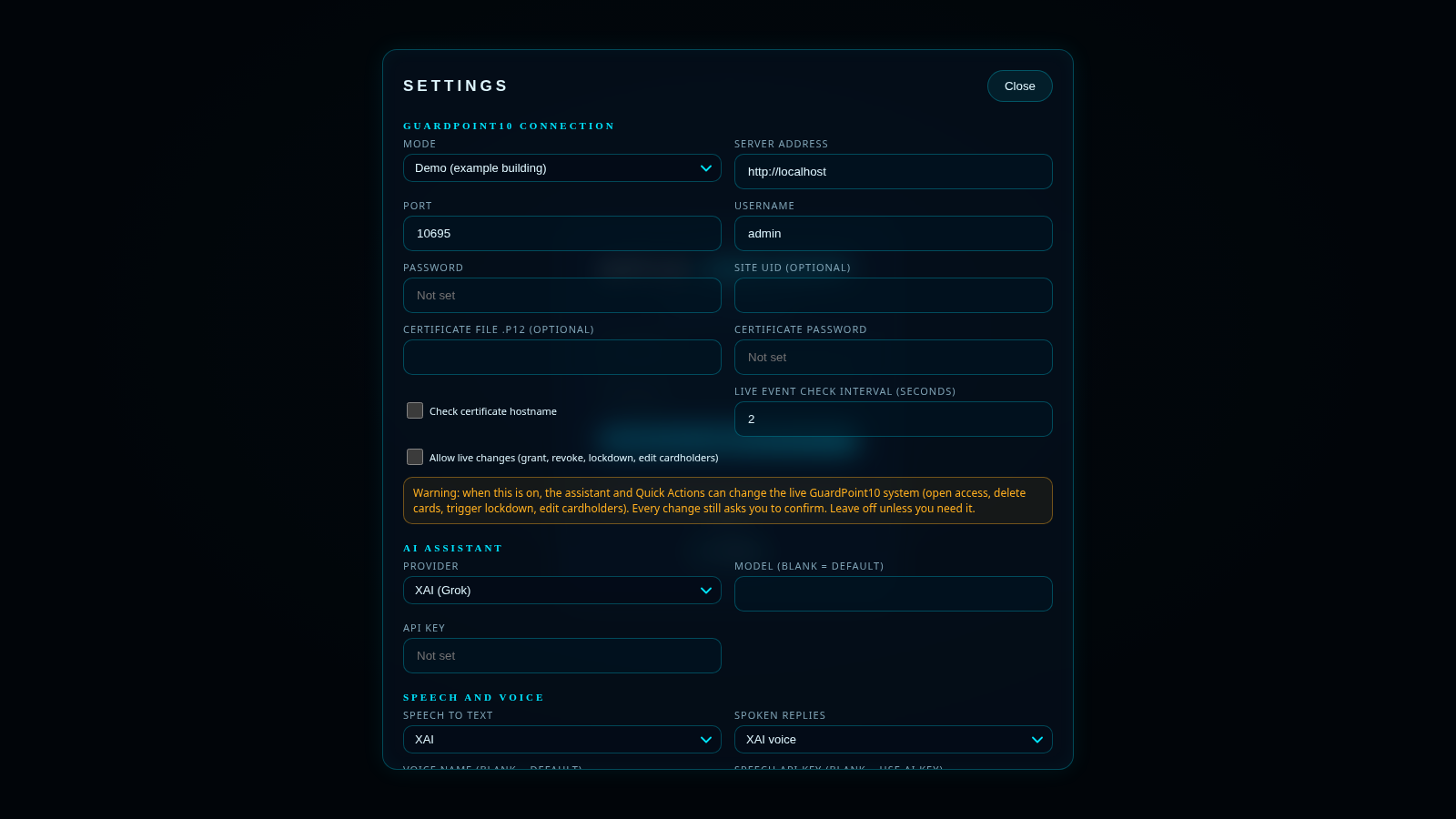
Figure 1: The Settings screen opens on first run. Enter your server details, click Test connection, then Save.
Live Mode and Making Changes
GP10-Insight starts in demo mode, so you can look around safely. When you are ready, switch to live mode in Settings to see your own system.
Allow live changes is off by default, so the app is read-only. To edit cardholders, arm or disarm zones, or operate relays, turn on Allow live changes in Settings.
Voice and AI Assistant (optional)
You can add an optional xAI API key in Settings to enable the voice and AI assistant. Without a key, the built-in offline commands are used instead.
Click the ? button next to the microphone to see a list of what you can ask.
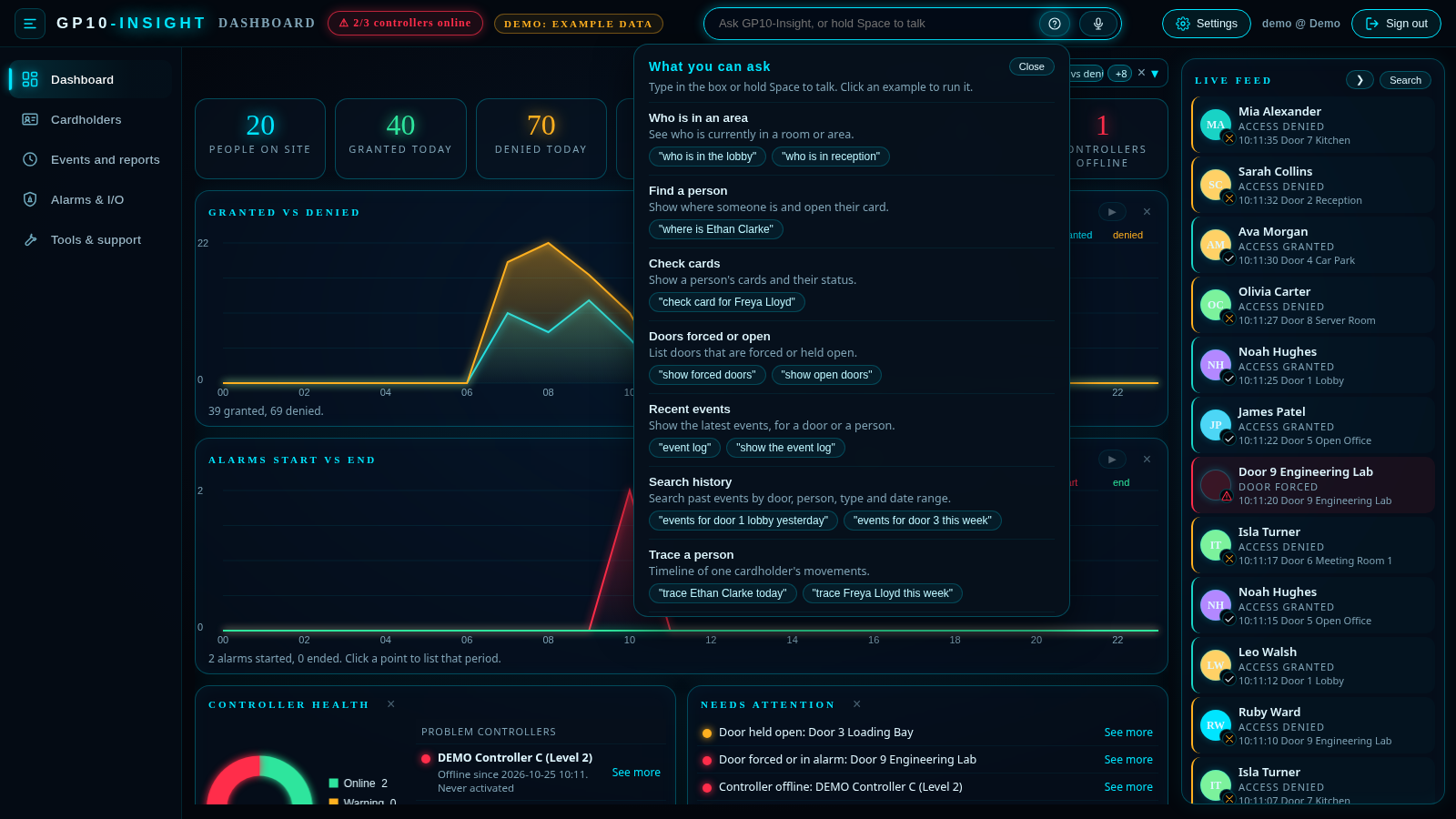
Figure 2: Click ? next to the microphone to see what you can ask.
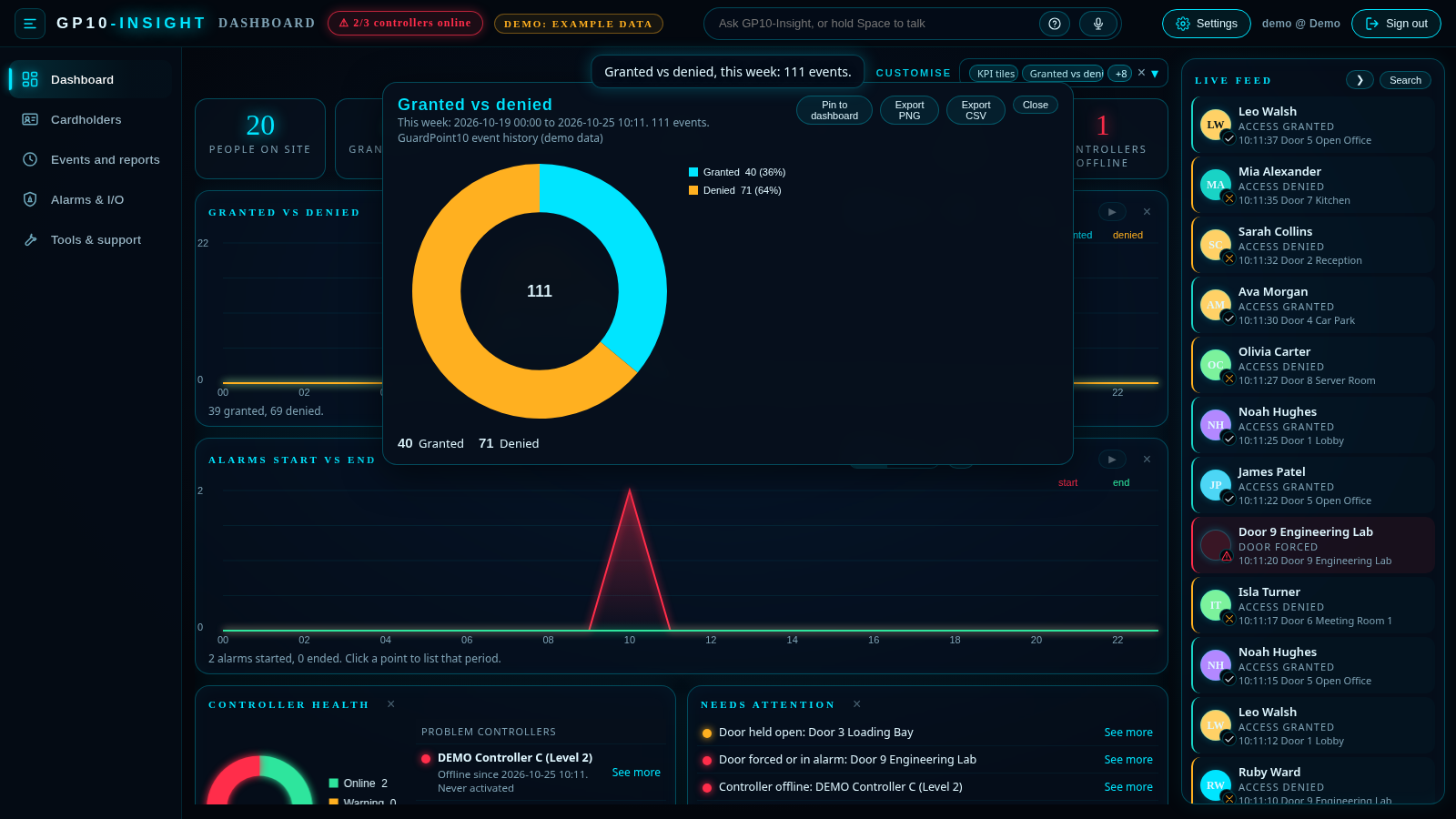
Figure 3: Ask for a chart by voice or text. The figures come from GuardPoint10 event history.
Features
- Dashboard with customisable panels, live feed, controller health and needs attention.
- Muster list with print and PDF.
- Cardholders with sort, filter, Excel export and import.
- Events and reports with filters and trace.
- Alarms and I/O: arm and disarm zones, view inputs and operate relays.
- Tools and support, including collect logs.
- Voice and AI assistant with charts and ? help.
- Audit log.
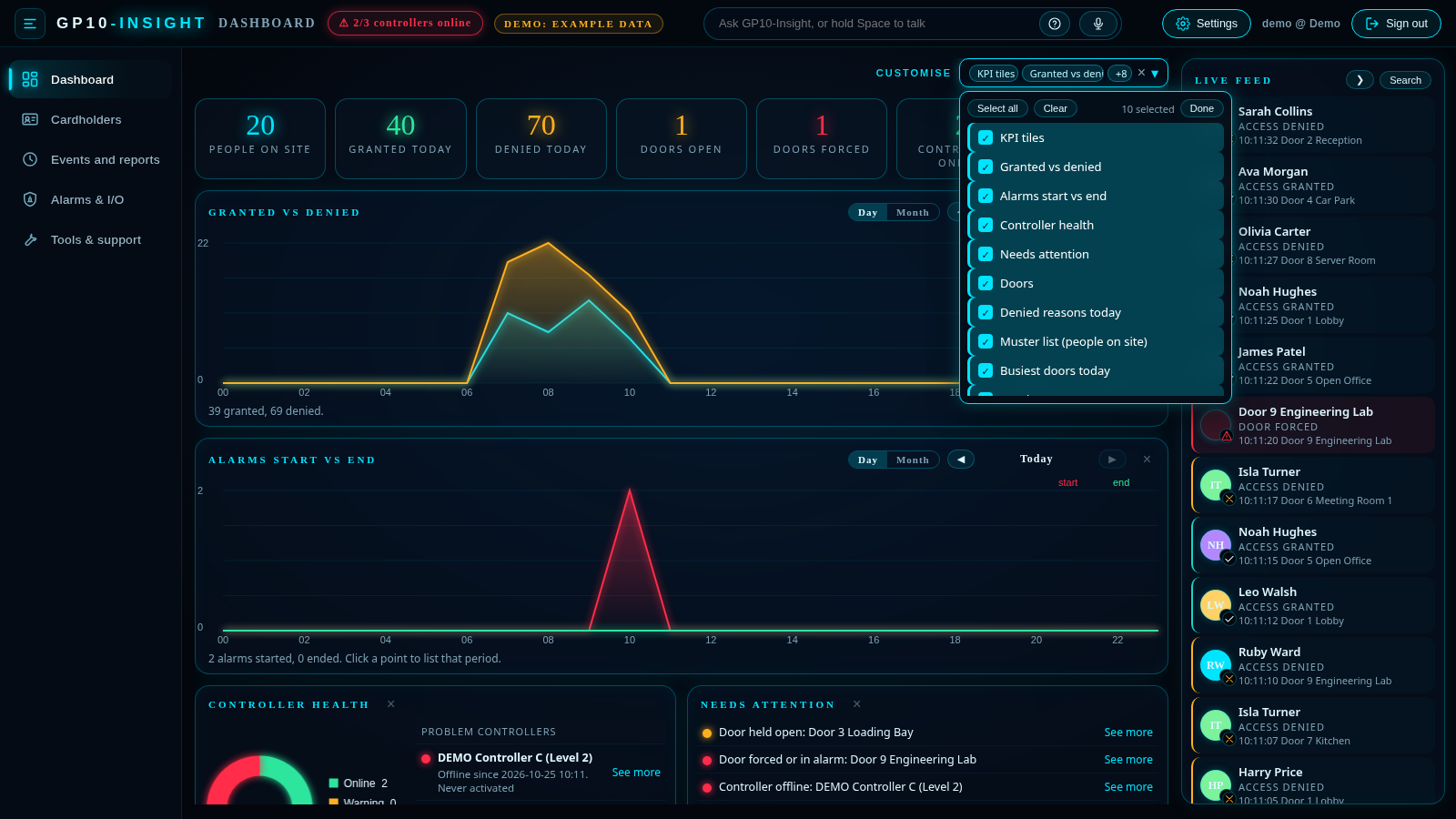
Figure 4: The dashboard. Use Customise to choose which panels you see.
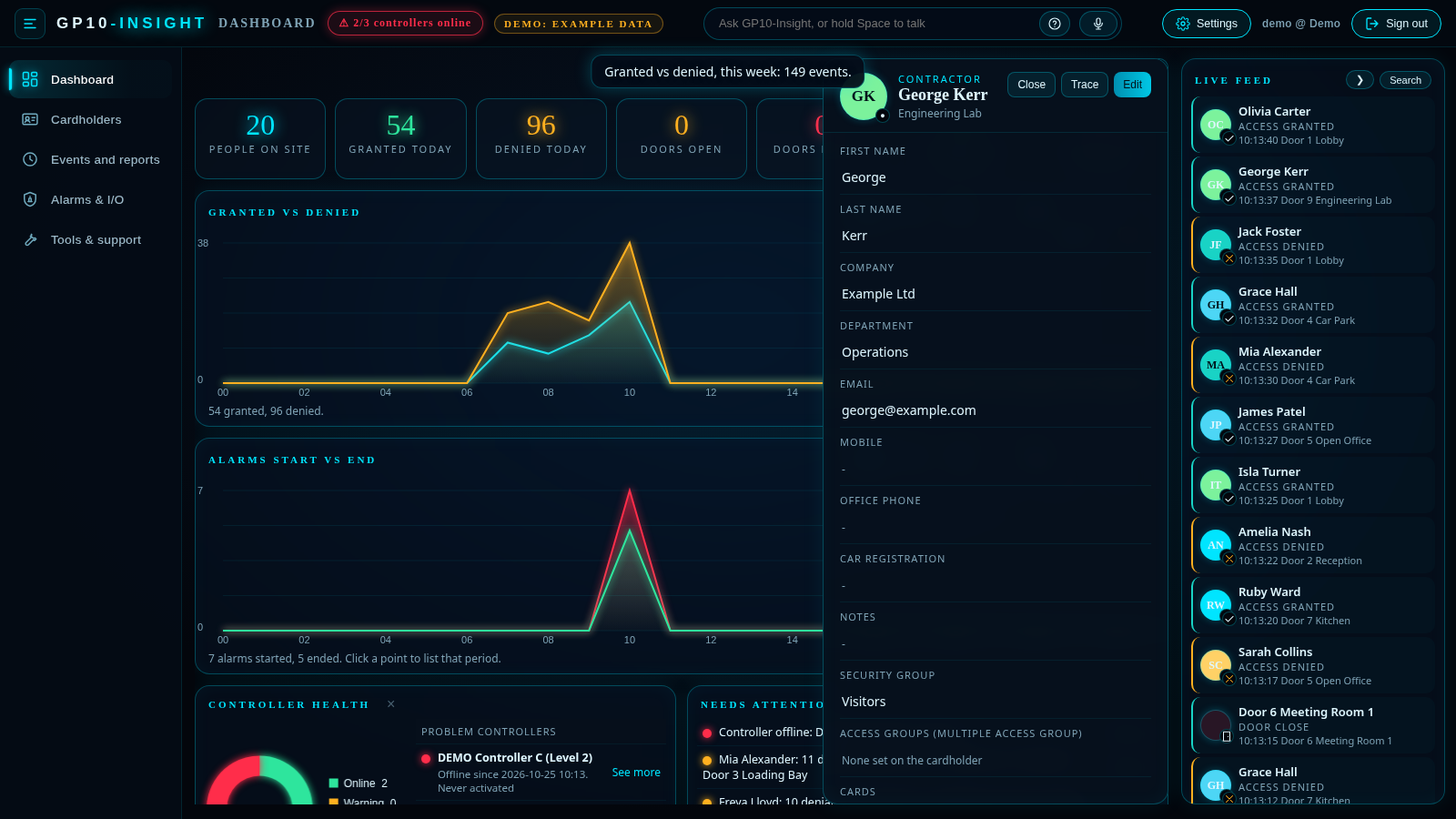
Figure 5: A cardholder card, with Close, Trace and Edit at the top.
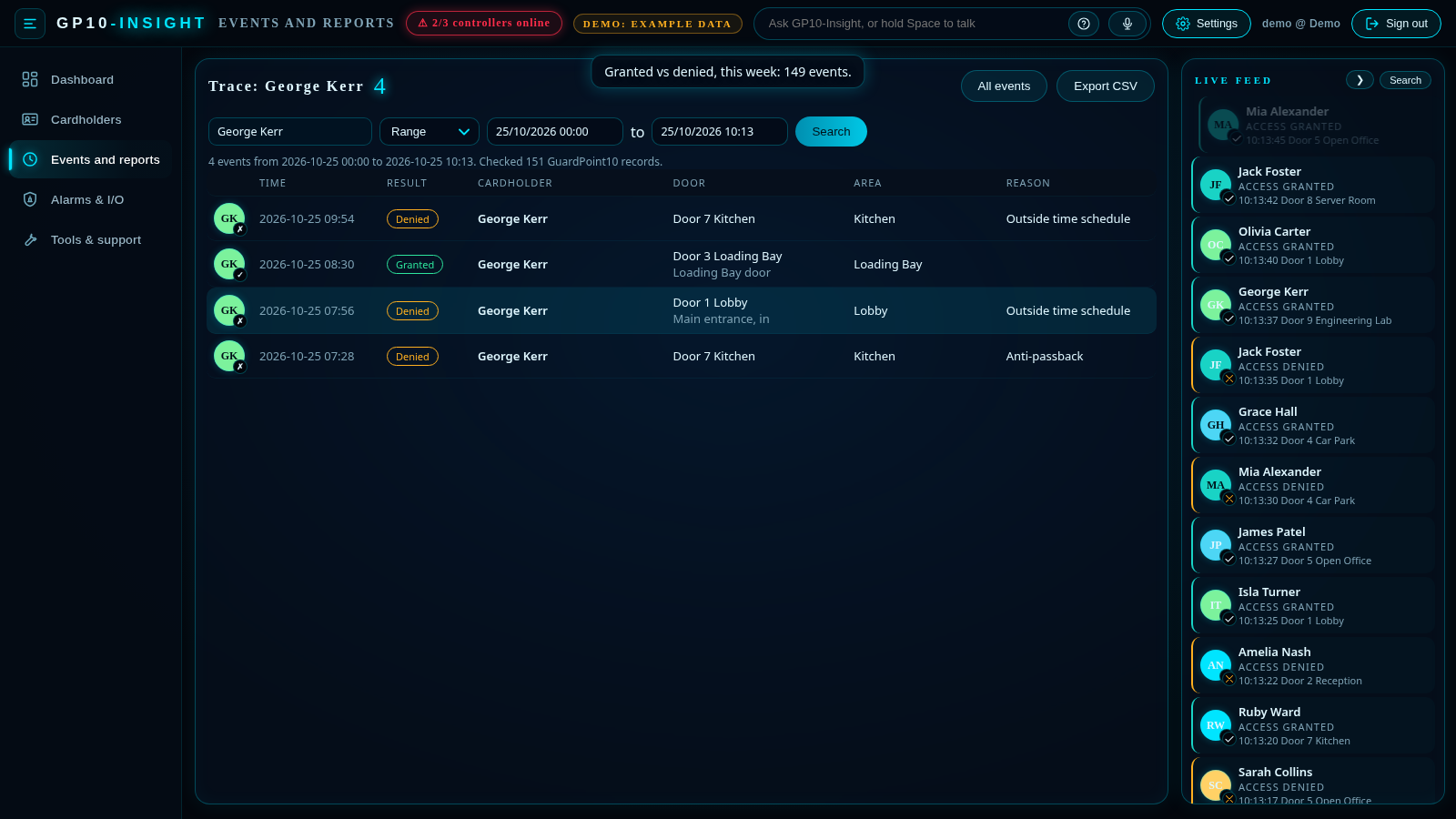
Figure 6: Trace shows one cardholder's movements as a timeline.
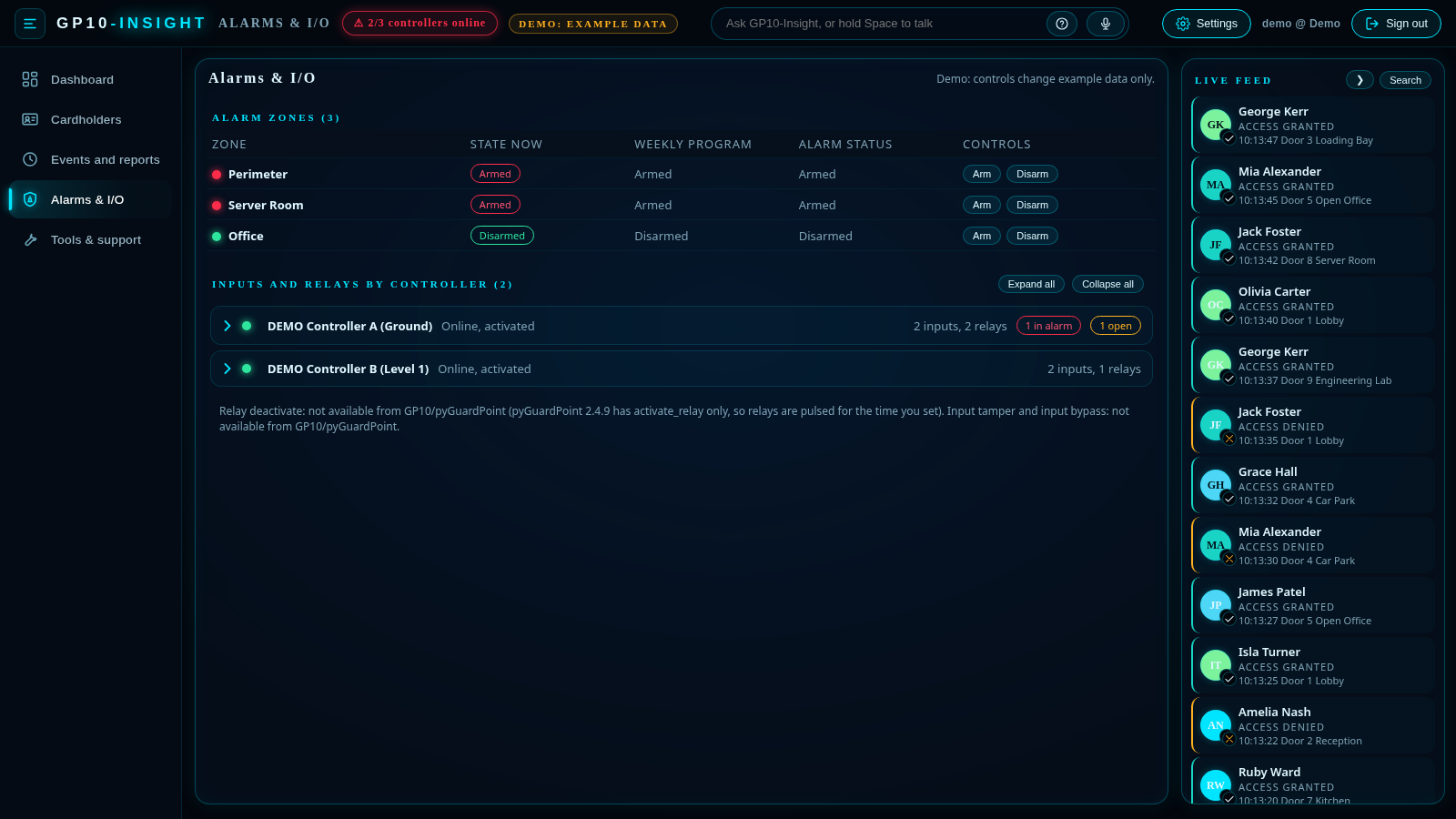
Figure 7: Alarms and I/O: arm or disarm zones and view inputs and relays.
All screenshots show demo mode with example data.
Troubleshooting
- Test connection fails: check the server address and port, that the API module is enabled, that the user has API access, and that the PC can reach the server on the network.
- Cannot edit or arm anything: turn on Allow live changes in Settings.
- Need help from us: use Tools and support > Collect logs and send the logs with your support request.
Bespoke Interfaces for Your Access Control System
GP10-Insight is an example of what can be built on top of GuardPoint10. We offer bespoke interfaces and dashboards designed around your access control system and the way your site works.
To talk to us about a bespoke interface, call Sensor Access on 01273 242355 or contact our support or sales team.
Download
The download is attached to this article: GP10-Insight.zip (about 18 MB). Unzip it and run GP10-Insight.exe.
Was this article helpful?
That’s Great!
Thank you for your feedback
Sorry! We couldn't be helpful
Thank you for your feedback
Feedback sent
We appreciate your effort and will try to fix the article