GuardPoint 10 Access Monitor Guide
Click to Download
1. Access Monitoring
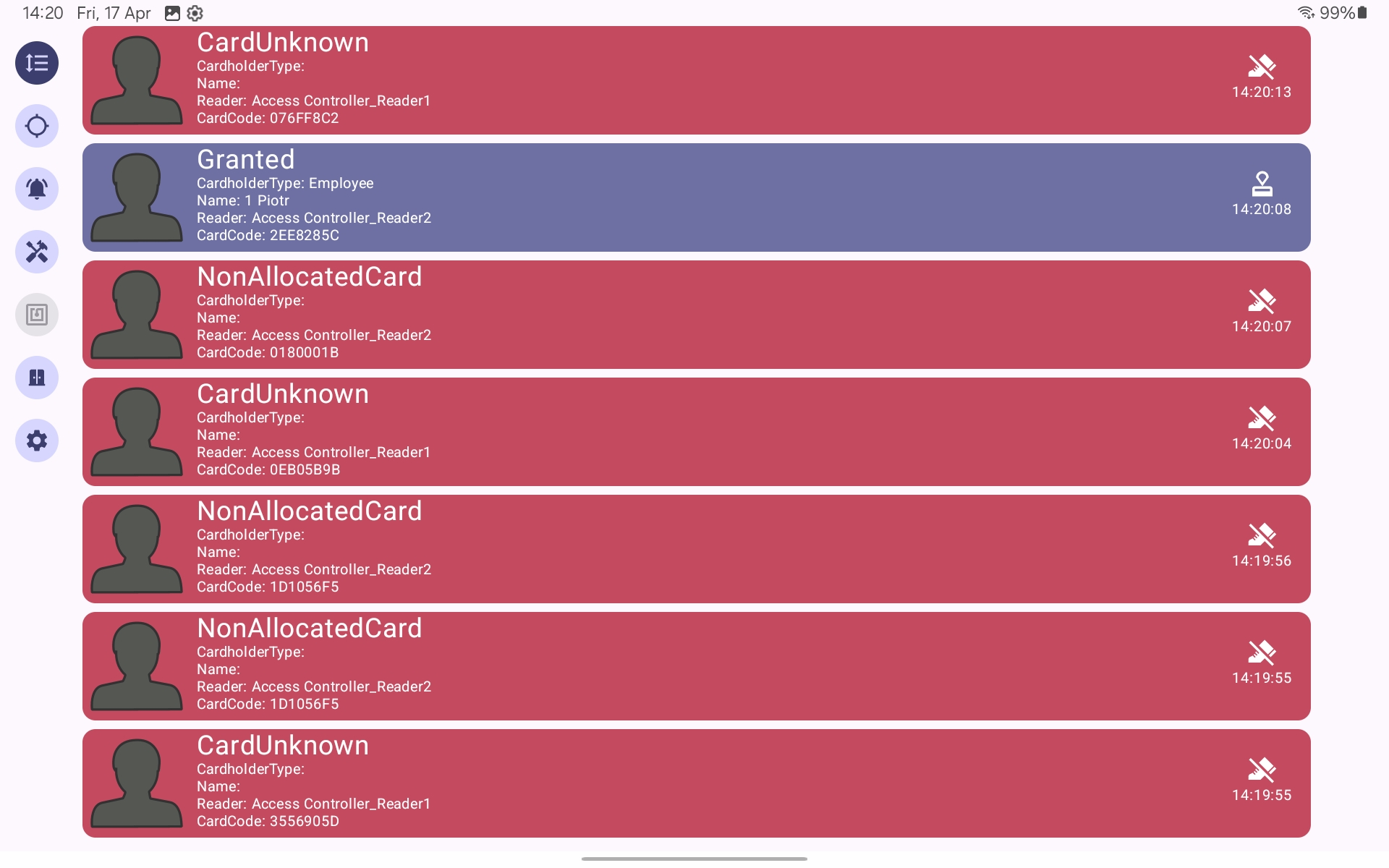
The application is designed to provide real-time monitoring of access control events generated within GuardPoint 10.
It displays access transactions including granted access, denied access, and unknown badge events. These events originate from field controllers and are processed through the GuardPoint 10 services before being exposed to the application via the API layer.
2. Connection to GuardPoint 10
The application connects to a GuardPoint 10 instance via the API service.
The connection is typically established over a local network. External connectivity requires secure tunnelling or port forwarding, which should be configured by the site IT department.
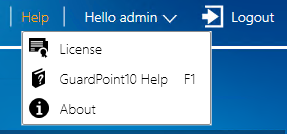
The GuardPoint 10 API module (GP10-API) must be enabled on the system license to allow communication with external applications.
The API is a RESTful service using HTTP requests and supports real-time event streaming.
Check your license details.
Required Configuration
Within GuardPoint 10, the following settings must be configured:
Navigate to:
Setup → Options → General
Enable:
'Pass events to API'
This ensures that system events are forwarded to the API service for external consumption.

User Configuration
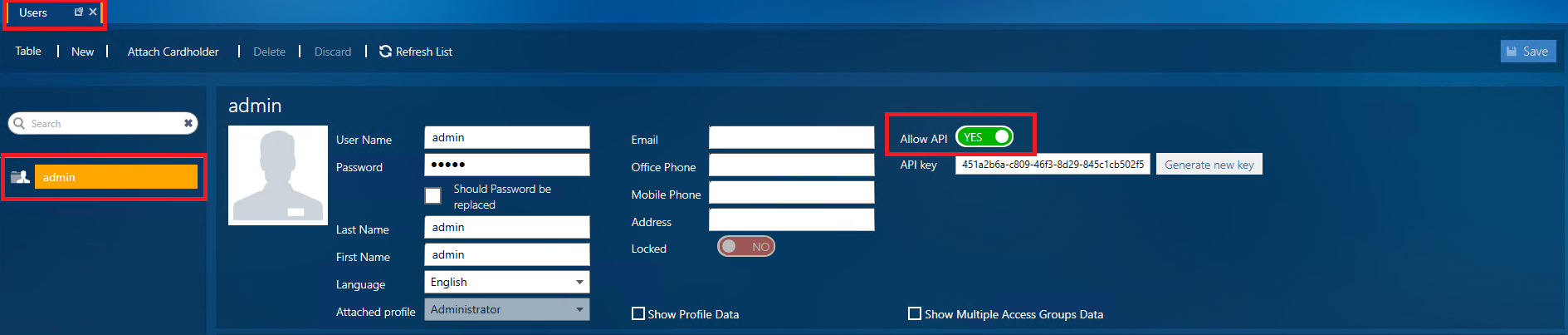
Each user logging into the application must have API access enabled.
Navigate to:
Management → Users
For each user:
Allow API must be set to Yes
A valid API key must be configured
Authentication is handled via GuardPoint 10 user credentials and API authorization.
Connection Details
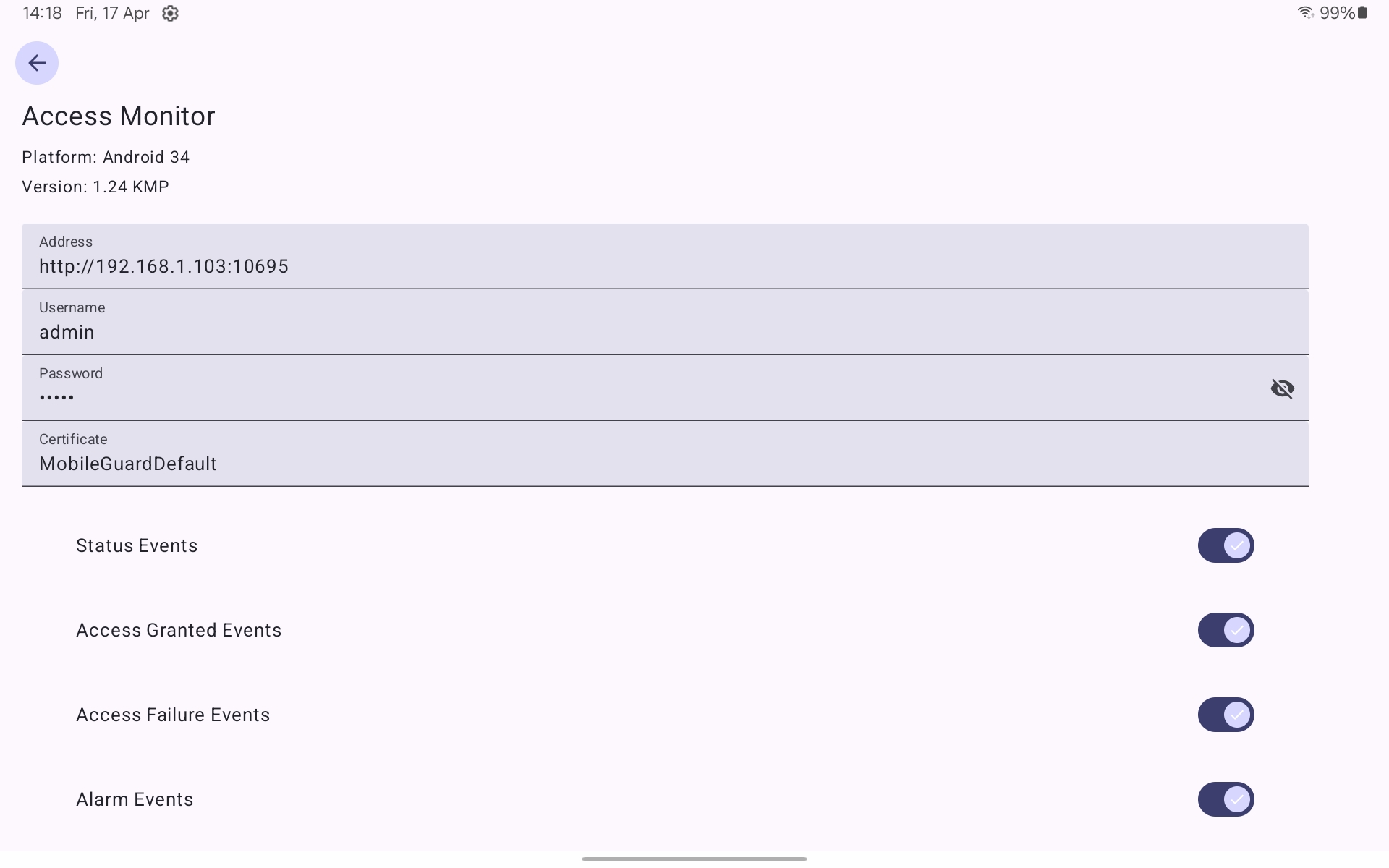
The application connects using:
Server address including port (e.g. http://192.168.1.103:10695)
GuardPoint 10 username
GuardPoint 10 password
User Permissions
Feature availability within the application is dependent on user permissions configured in GuardPoint 10. Different users may have access to different functionality and system elements.
[ See 7. ]
3. Reader Selection
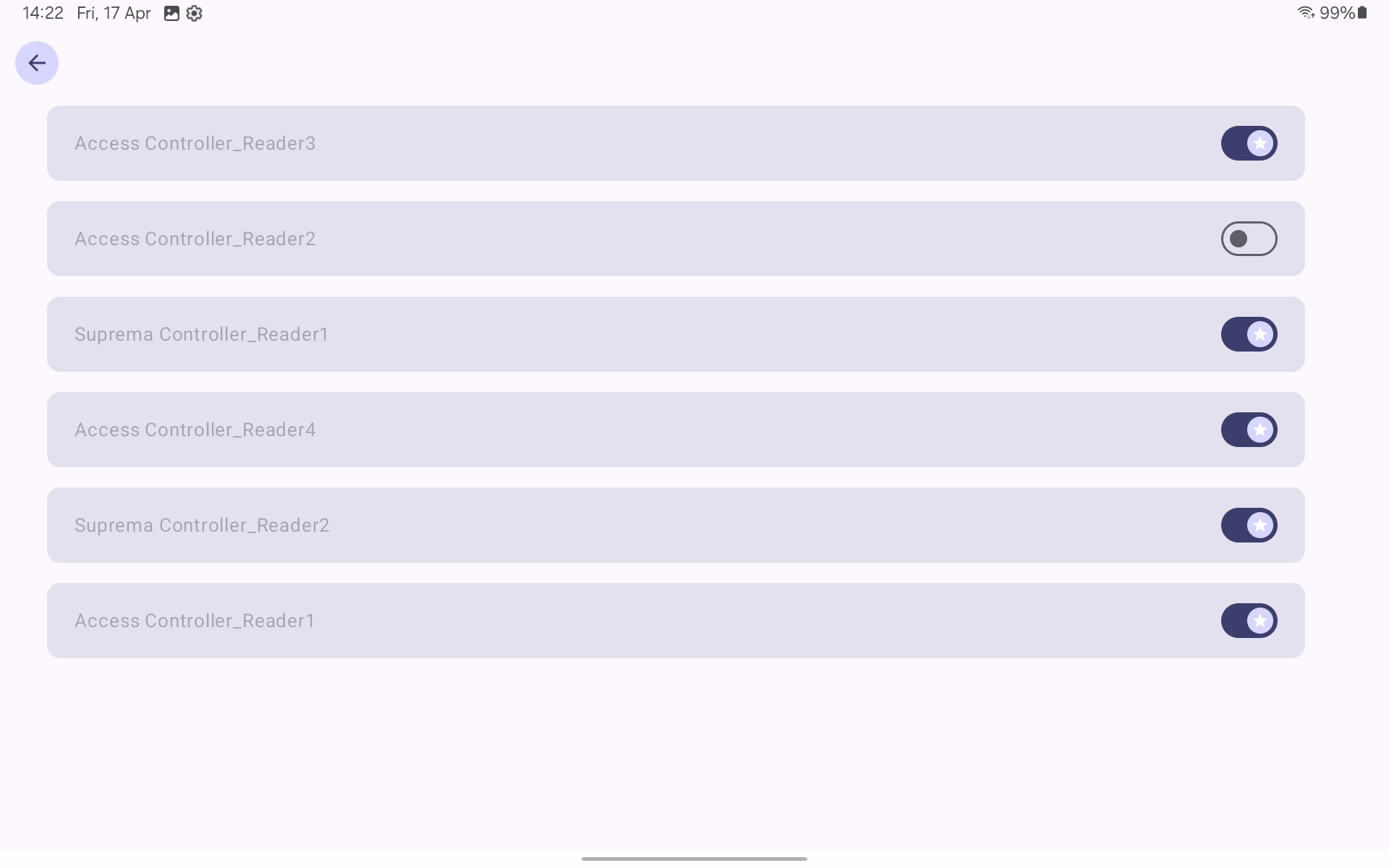
The Readers screen allows the user to define which readers are included in the monitoring scope.
Reader data is retrieved from the GuardPoint 10 infrastructure configuration. Selecting or deselecting readers filters the events displayed in the application.
4. Alarm Management
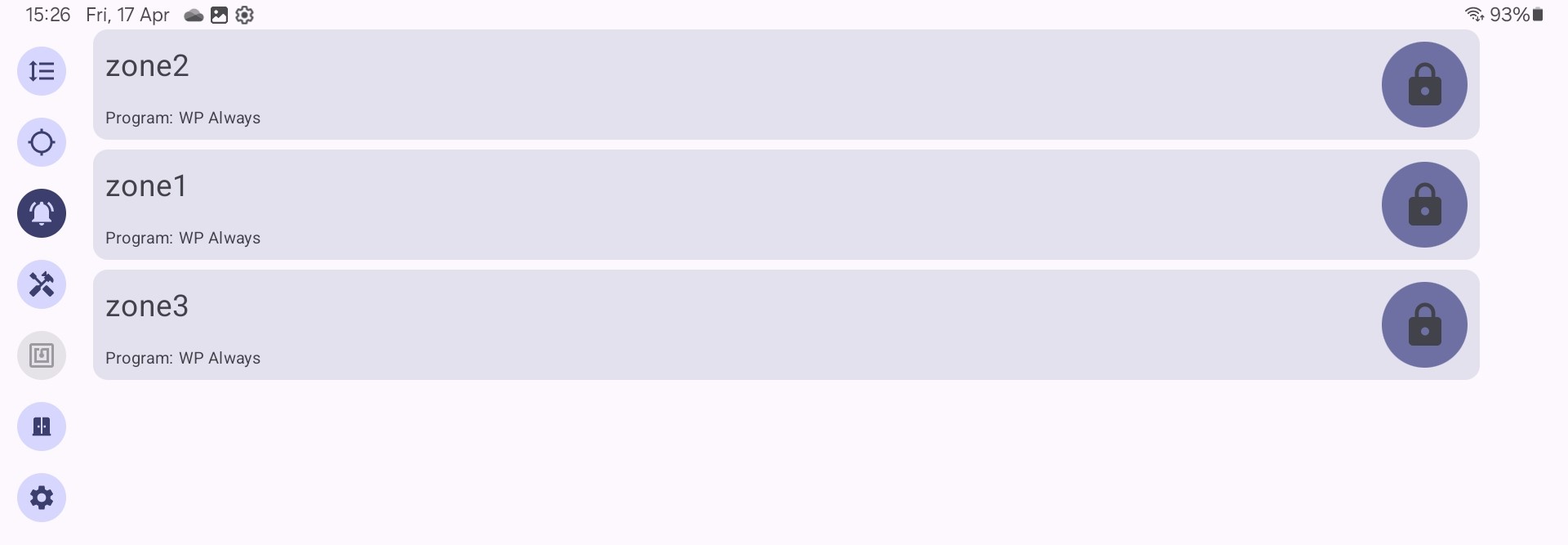
The application provides the ability to manage alarm zones configured within GuardPoint 10.
Users can arm and disarm alarm zones and view their current state. These operations are executed through the API and reflect the configuration defined in the GuardPoint 10 alarm zone setup.

5. Actions (Global Reflex Manual Events)
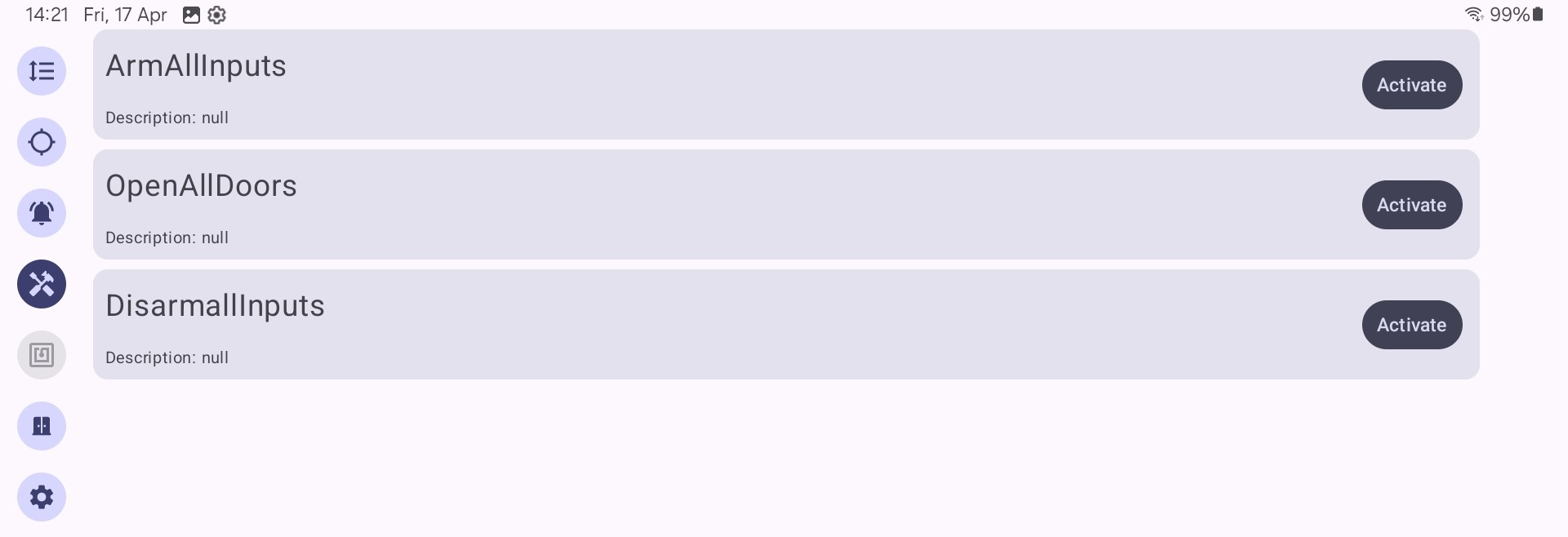
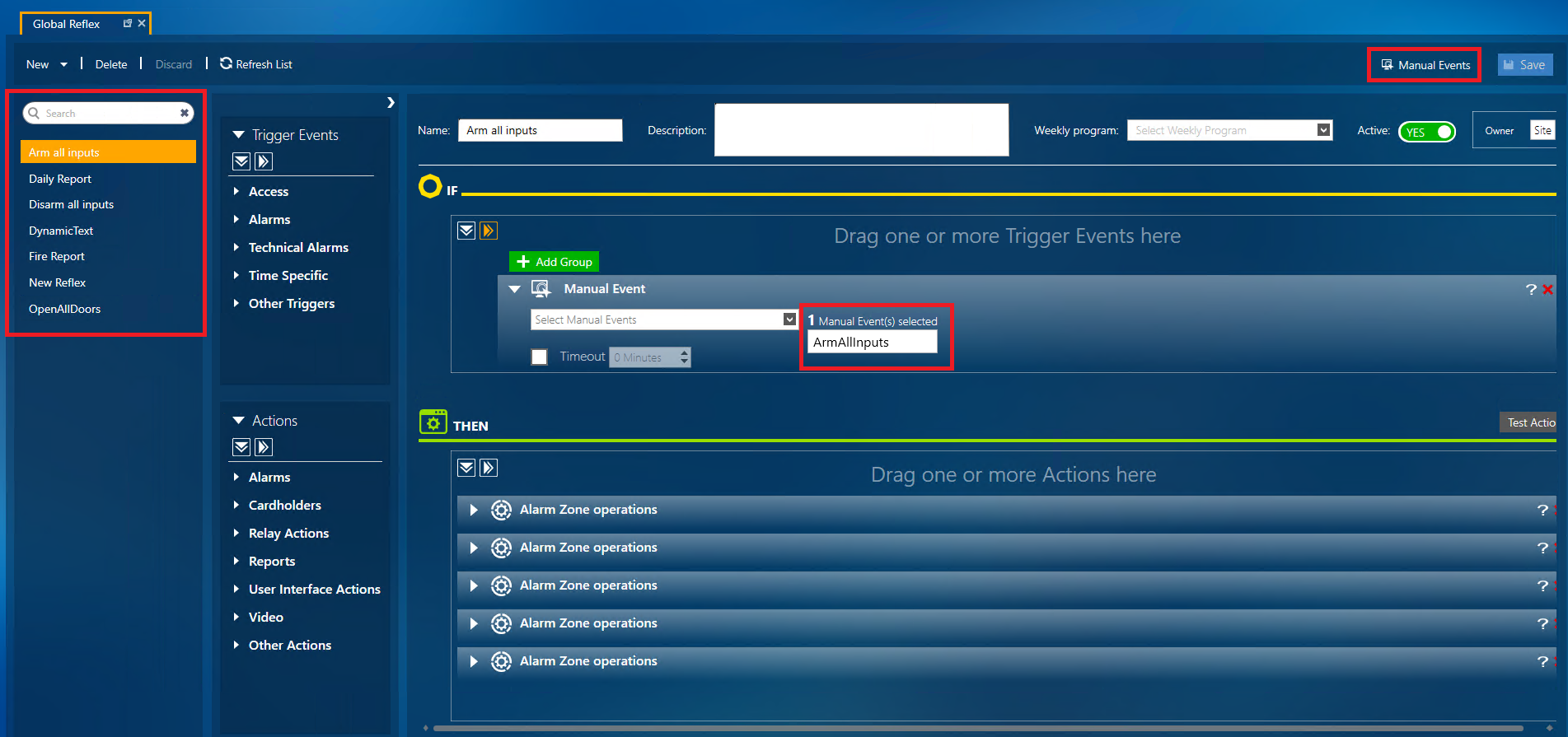
The application allows execution of manual actions configured in the Global Reflex module.
These actions are predefined within GuardPoint 10 and exposed via the API for external triggering.
Examples include:
- Disarming inputs
- Displaying messages
- Generating reports
- Sending emails
- Opening doors
The Global Reflex module provides a rule-based mechanism for triggering system actions.
For more advanced functionality, the Advanced Global Reflex module (GP10-AGR) may be required.
This guide does not cover the configuration of Global Reflexes. For further details, refer to the GuardPoint 10 help section or contact support.
6. Area Monitoring
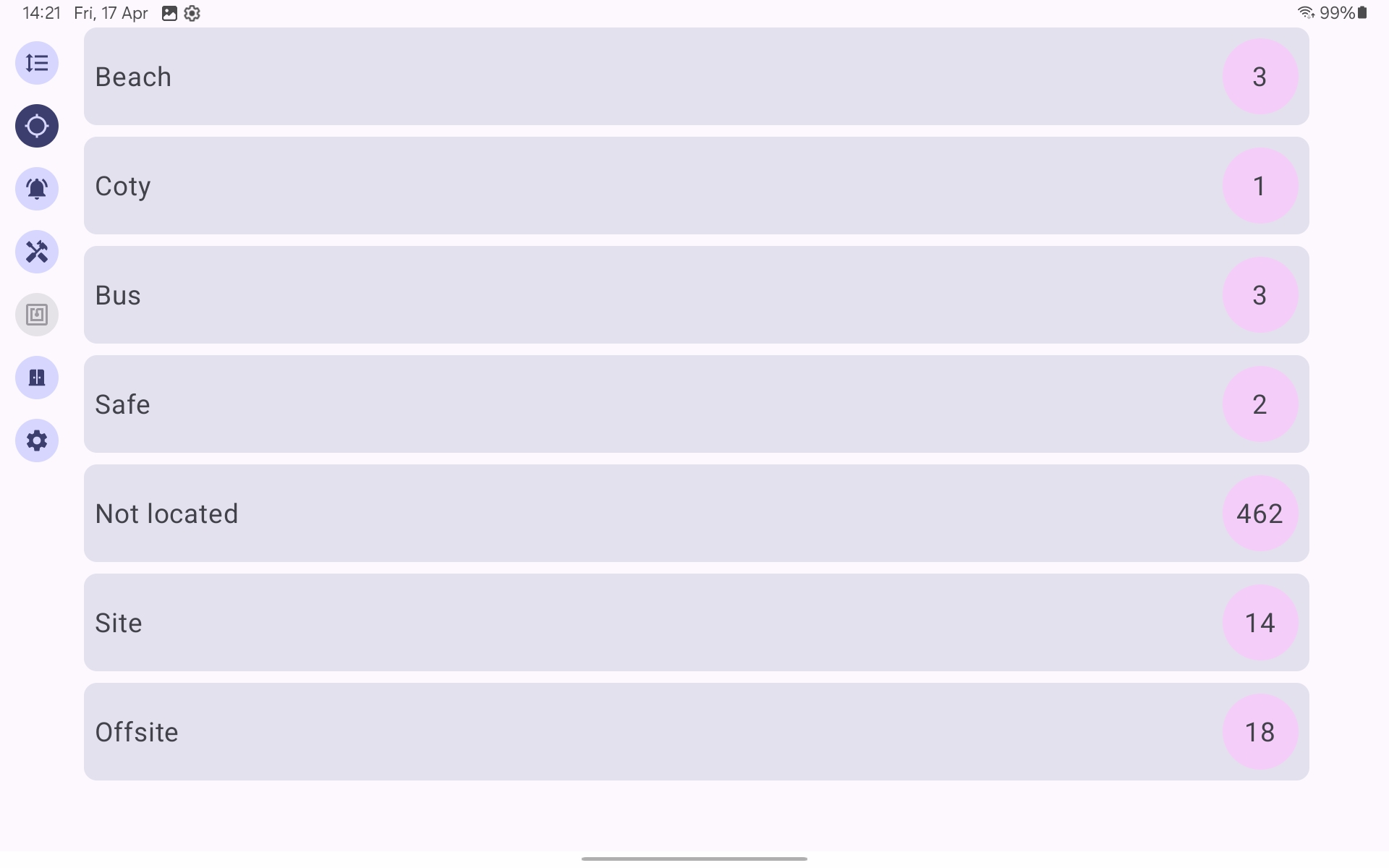
The application displays real-time occupancy data for areas configured within GuardPoint 10.
Area information is derived from the Area Management module, which tracks cardholder movement based on reader activity.
The system maintains live counts of individuals within each defined area.
7. Advanced Parameters
User-Based Feature Visibility
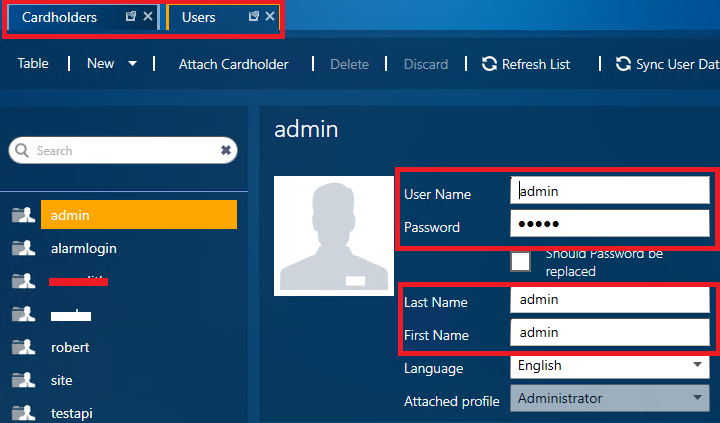
Advanced feature visibility within the application is controlled through configuration of Alarm Zones, Manual Events, and Cardholder Customised Fields in GuardPoint 10.
This functionality relies on matching a system user to a corresponding cardholder record, along with defining permitted actions via specific syntax.
7.1. Alarm Zone Configuration
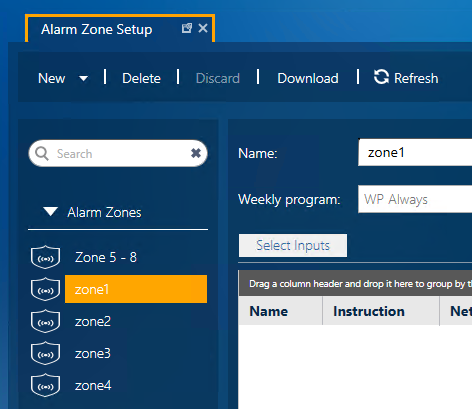
Alarm Zones must be preconfigured, and their names are used as part of the permission syntax.
Navigate to:
Setup → Alarm Zones
- Create or review the required Alarm Zones
- The exact Alarm Zone Name will be used as the parameter value
7.2. Manual Events Configuration
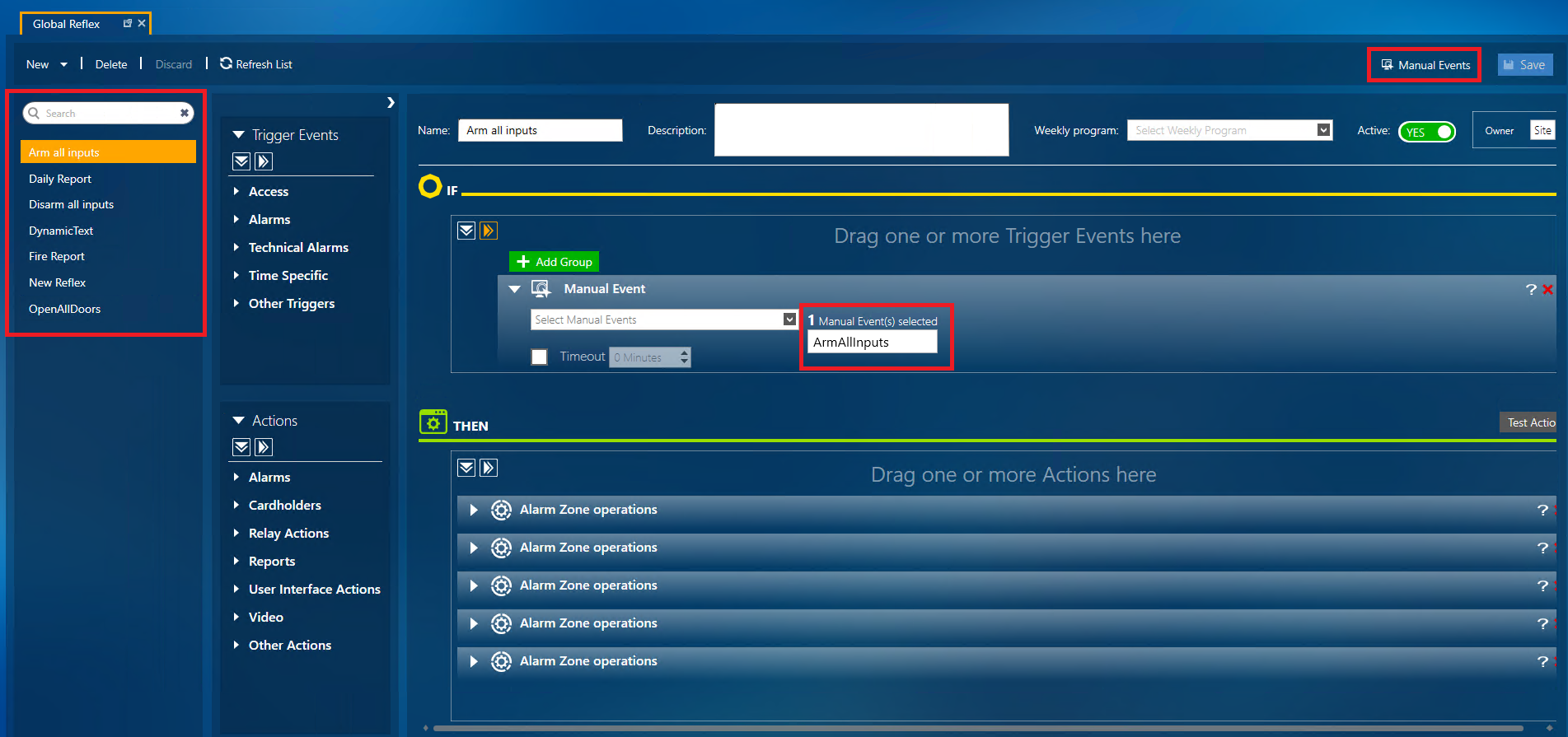
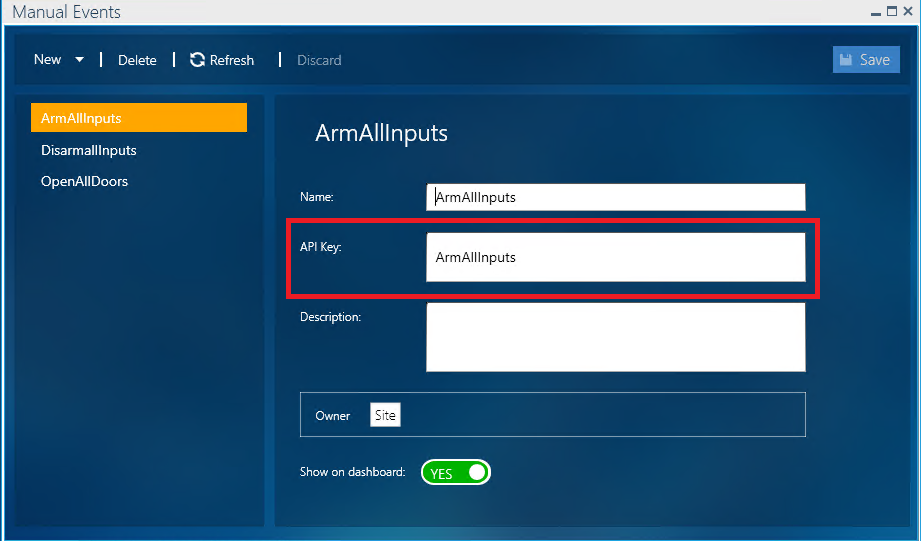
Manual Events must also be configured, and their API Keys field are used as part of the permission syntax.
Navigate to:
Setup → Global Reflex → Manual Events
- Create or review the required Manual Events
- The API Key of the Manual Event is used as the parameter value
7.3. Cardholder Customised Fields
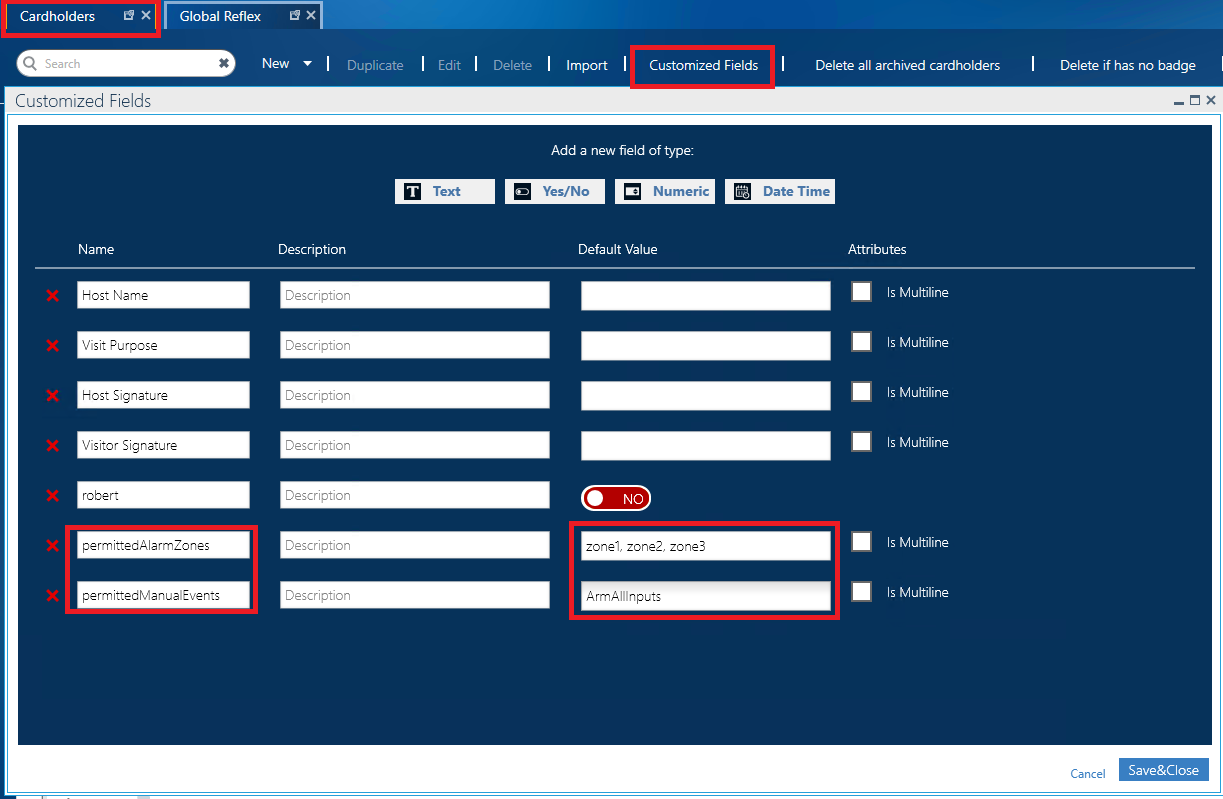
Permissions are assigned via Customised Fields on the cardholder linked to the user.
Navigate to:
Management → Cardholders
Within the Cardholder configuration:
- Create the following Customised Fields(Text type):
permittedAlarmZonespermittedManualEvents
- Assign these fields to the relevant cardholder record (matching the user)
7.4. Assigning Permissions to a User
Open the cardholder record corresponding to the application user (e.g. admin/admin).
Within the Customised Fields section:
- In permittedAlarmZones:
Enter the required Alarm Zone names (exact syntax as configured) - In permittedManualEvents:
Enter the required Manual Event API Keys - Multiple entries should be separated by commas (, )
Example format:zoneA, zoneB, zoneCArmAllInputs, OpenAllDoors
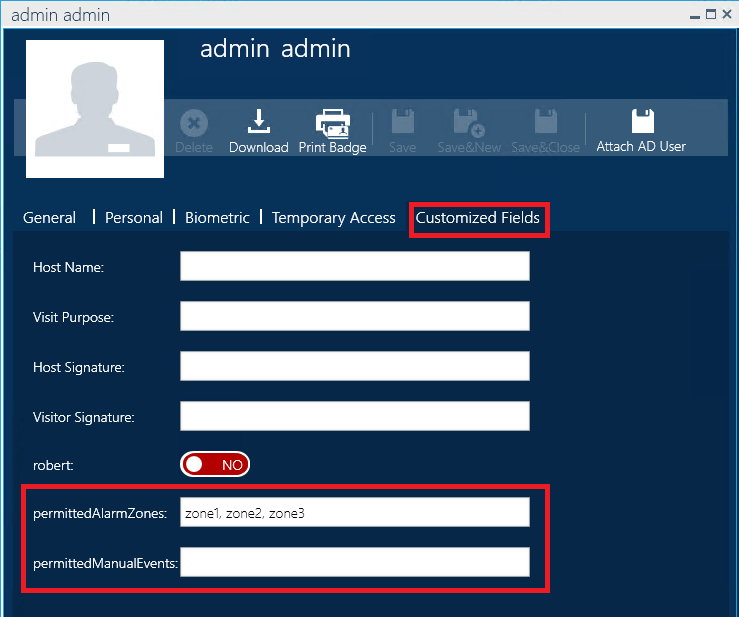
If no Customized Fields are assigned to the cardholder, the application defaults to granting access to all available parameters.
8. Action Confirmation via PIN
The application supports confirmation of certain actions via PIN authentication.
This functionality also relies on the relationship between GuardPoint 10 users and their corresponding cardholder records.
Where PIN confirmation is required:
- The PIN is derived from the cardholder record associated with the logged-in user
- The application validates the entered PIN against the stored cardholder data
If you require further information or assistance, please contact support@sensoraccess.co.uk and reference this document.
Was this article helpful?
That’s Great!
Thank you for your feedback
Sorry! We couldn't be helpful
Thank you for your feedback
Feedback sent
We appreciate your effort and will try to fix the article