Let's say you need to reset automatically the Anti-Passback every Sunday night at 24:00.
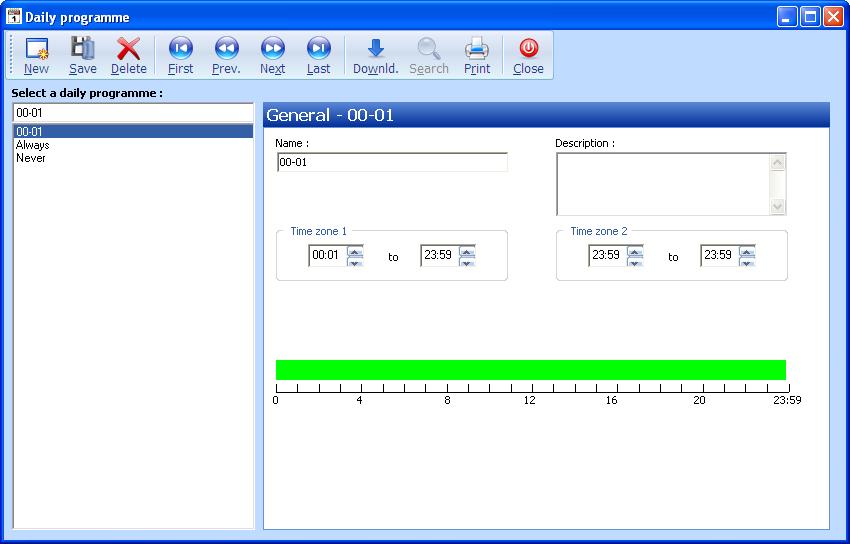
- Create a Daily programme with 1 min OFF between 00:00 to 00:01, i.e. with the time zone = 00:01 to 23:59
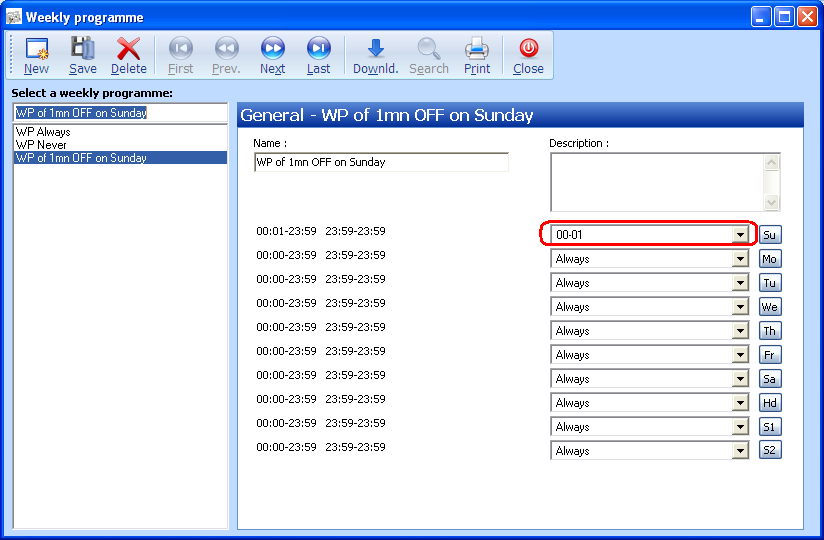
2. Create a Weekly programme which uses the previous Daily programme on Sunday:
In the Reader>Access mode screen of the concerned readers that have the Anti-Passback option, set the previous Weekly programme and uncheck the Anti-Passback option for the Security level 2.
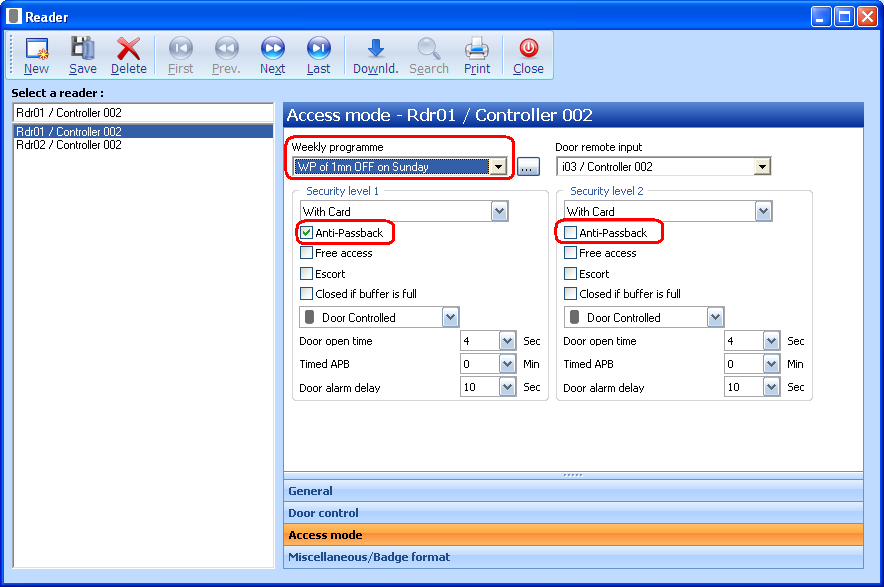
In that way, the Anti-Passback function is disable during 1min (between 00:00 to 00:01 every Sunday) and reset for all the cardholders.
Was this article helpful?
That’s Great!
Thank you for your feedback
Sorry! We couldn't be helpful
Thank you for your feedback
Feedback sent
We appreciate your effort and will try to fix the article