The ANPR Lumo is a Licence plate recognition camera made by Nedap and sold by Nortech in the UK.
The camera is specifically designed to read car number plates and work with access control systems.
This camera can come complete with a stainless steel post from Nortech:

Refer to your ANPR LUMO manual for full setup details details
Enter the default IP-address into the address bar of your web browser.
Note this may take some time to load
Default IP address: 192.168.3.15
Username: admin
Password: secret
The Lumo camera feature a wiegand output with the SHA-1 algorithm which means it can be connected directly into GP10.
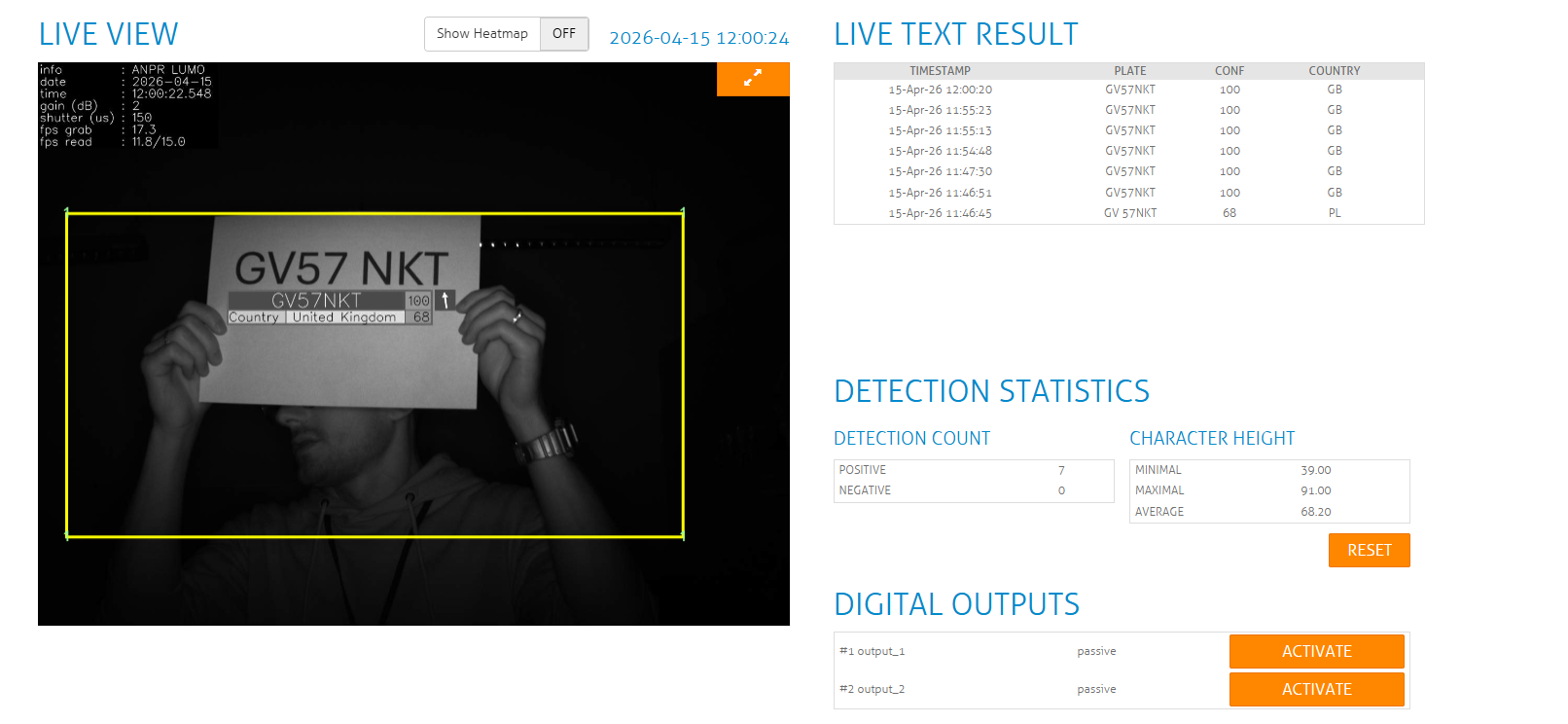
Live Text Results will show on the right hand side once a number plate has been recognised.
The configuration on the Lumo camera is as follows:
Logon to the web interface and go to the configuration screen:

In the configuration screen click action and then add the Wiegand26 option

Please ensure the Wiegand connections are wired as follows:
- White – Data 0
- Brown – Data 1
- Purple – Wiegand Ground (Reader 0V)
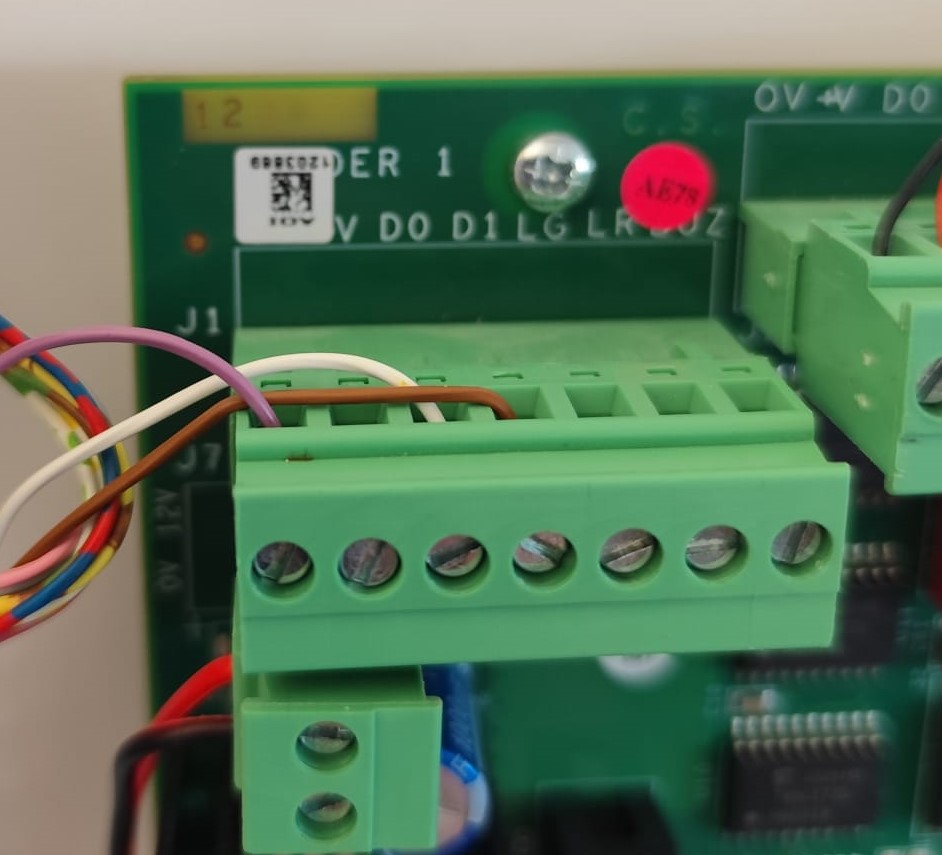
See video of the system setup:
In GP10:
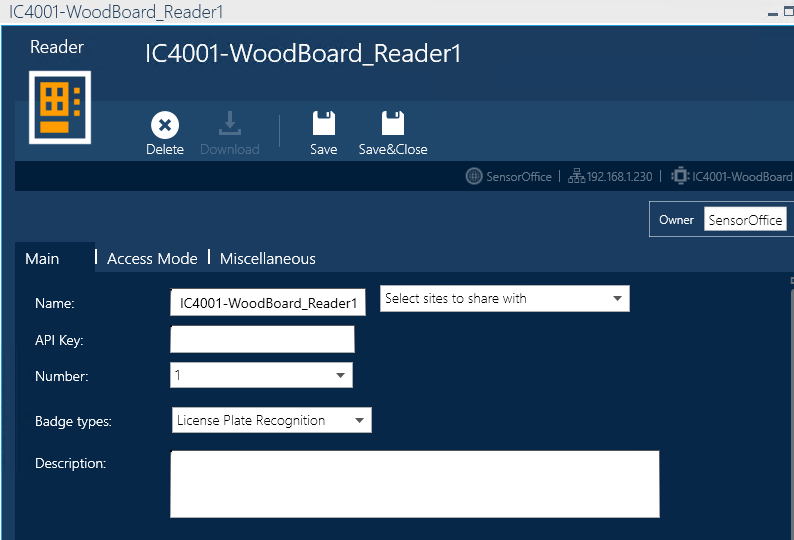
Open your reader and change Badge type to "License Plate Recognition"
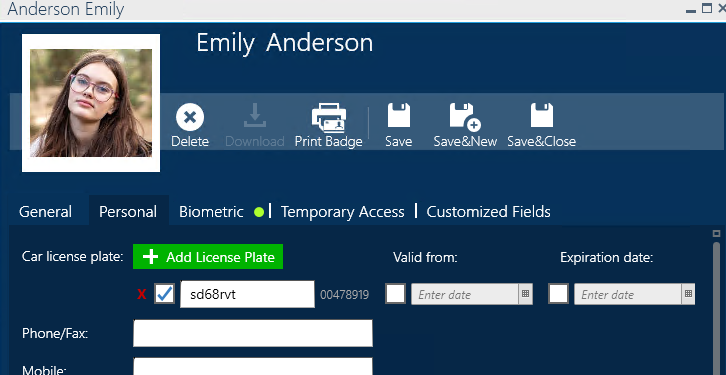
Number plates are added in the cardholders personal tab:
Once a number plate is scanned, the results will pull through to the Event Log within GP10:

As shown in the screenshots above, you can test this out using a printed out number plate held in front of the camera.
Was this article helpful?
That’s Great!
Thank you for your feedback
Sorry! We couldn't be helpful
Thank you for your feedback
Feedback sent
We appreciate your effort and will try to fix the article