GuardPoint 10 Integrating with the ANPR Licence Plate Recognition Camera
The ANPR Lumo is a License plate recognition camera made by Nedap and sold by Nortech in the UK.
The camera is specifically designed to read car number plates and work with access control systems.
This camera can come complete with a stainless steel post from Nortech:
 Refer to your ANPR LUMO manual for full setup details details
Enter the default IP-address into the address bar of your web browser.
Note this may take some time to load
Default IP address: 192.168.3.15

Username:  admin
Password:  secret
The Lumo camera feature a wiegand output with the SHA-1 algorithm which means it can be connected directly into GP10.
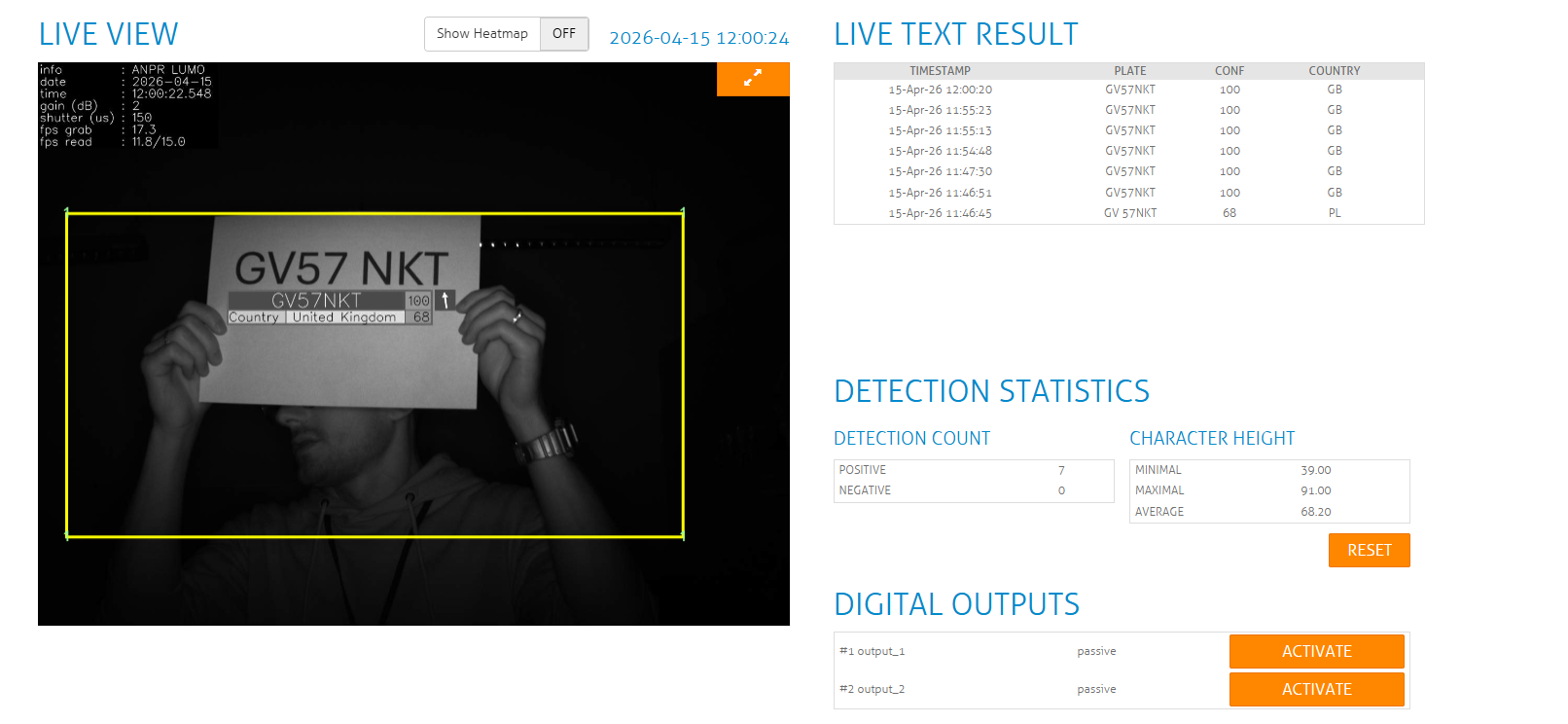
Live Text Results will show on the right hand side once a number plate has been recognised.
The configuration on the Lumo camera is as follows:
Login to the web interface and go to the configuration screen:

In the configuration screen click action and then add the Wiegand26 option

Please ensure the Wiegand connections are wired as follows:
- White – Data 0
- Brown – Data 1
- Purple – Wiegand Ground (Reader 0V)
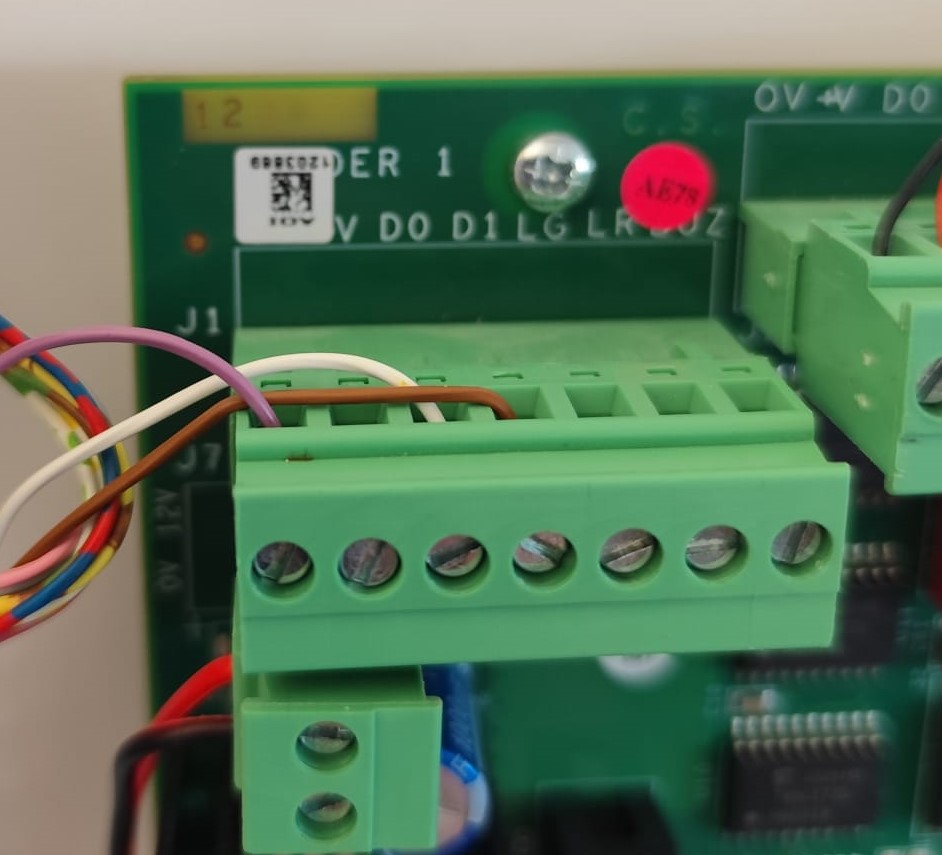
See video of the system setup:
While in the Configuration screen, also check that the Region of Interest is concentrated on where. the number plates are expected to appear.
Under Camera Info you will see what region your camera is set to, in most cases this should be set to 'West Europe'.
In the Engine setting the reading mode can be changed from Standard to High and Best. This can be used to improve the accuracy of the reading, but it will also increase the time it takes to identify a plate as it takes a greater sample of images once the plate is detected.
In GP10:
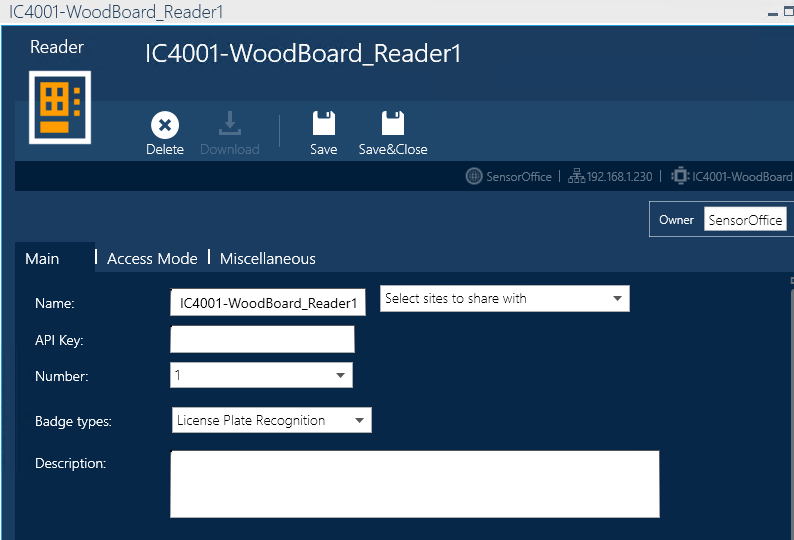
Open your reader and change Badge type to "License Plate Recognition"
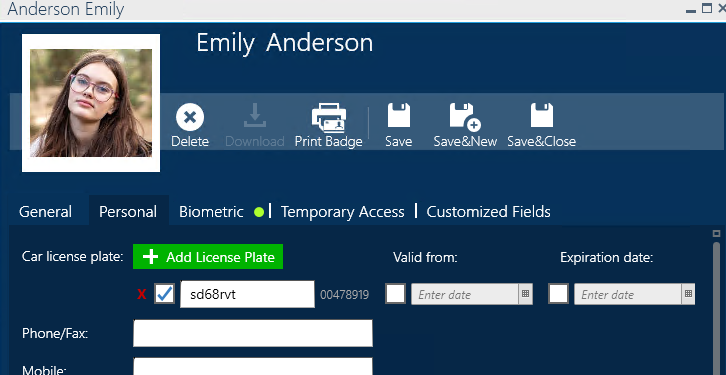
Number plates are added in the cardholders personal tab:
Once a number plate is scanned, the results will pull through to the Event Log within GP10:

As shown in the screenshots above, you can test this out using a printed out number plate held in front of the camera.Was this article helpful?
That’s Great!
Thank you for your feedback
Sorry! We couldn't be helpful
Thank you for your feedback
Feedback sent
We appreciate your effort and will try to fix the article