GuardTour App Guide
Available to download on the Google Play Store:
Click to Download

About GuardTour
GuardTour effectively turns a smartphone into a patrol tracking device. It is designed to support and monitor security patrol operations in real time. GuardTour enables security personnel to record their presence at designated checkpoints by scanning NFC tags placed throughout a site.
The application ensures that guards are completing their assigned patrol routes accurately and on schedule, providing visibility and accountability for site security operations.
Key Functions
- Checkpoint Verification
Guards scan NFC tags at predefined locations to confirm attendance at specific points along a patrol route. - Real-Time Location Tracking
Each scan records the guard’s position and time, allowing supervisors to verify patrol coverage and identify any missed checkpoints. - Tour Reporting
The system generates automated reports based on completed patrols, which are sent via email for review and auditing purposes. - Route Compliance Monitoring
Ensures that guards follow assigned patrol routes and schedules, improving operational consistency and security standards.
Using GuardTour
GuardTour is currently only available on Android devices, and requires OS Android 11 or above
Location access and NFC will need to be enabled for this app to work.
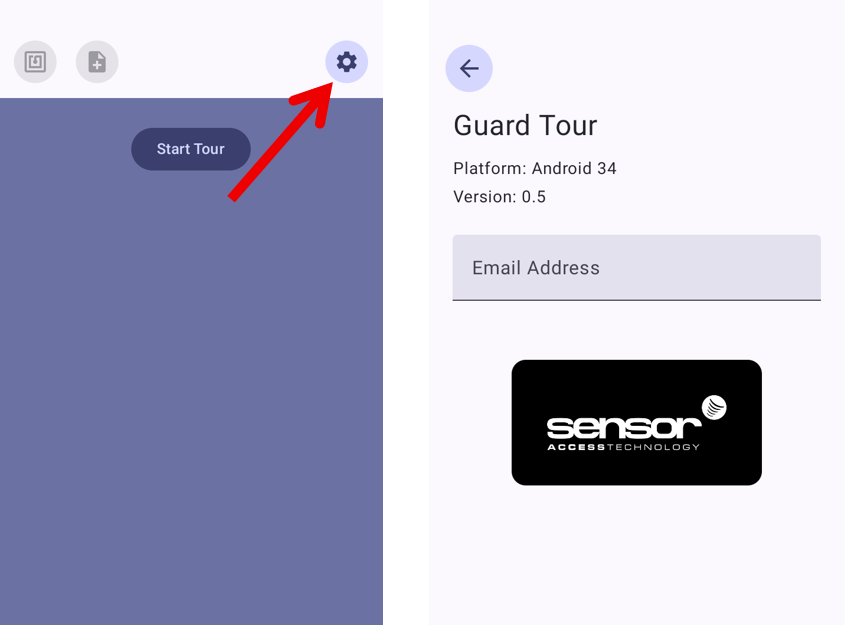
Open the app and click the Gear icon at the top right to add the email address you wish the final report to be sent to:
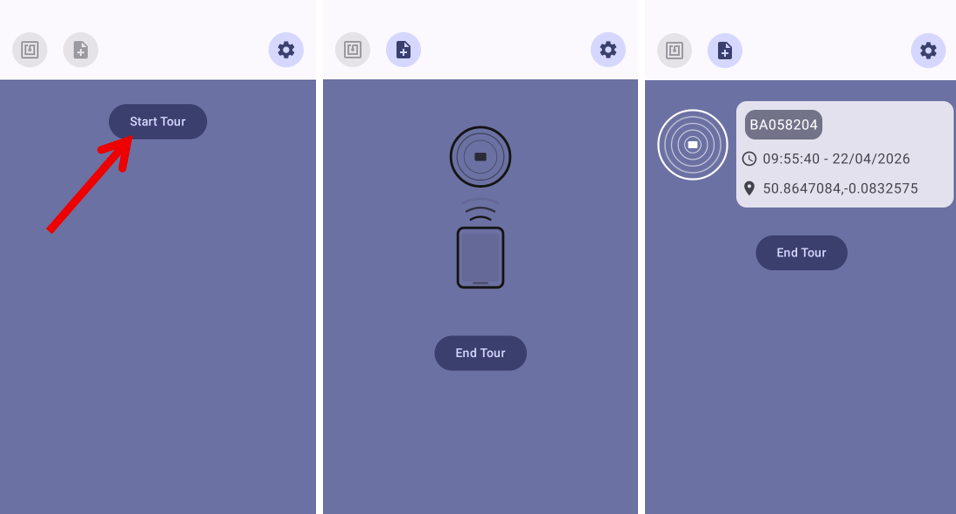
When ready, click 'Start Tour' and scan your first tag. This will bring up the time & date of when the tag was scanned, as well as the GPS coordinates of where the tag is located:
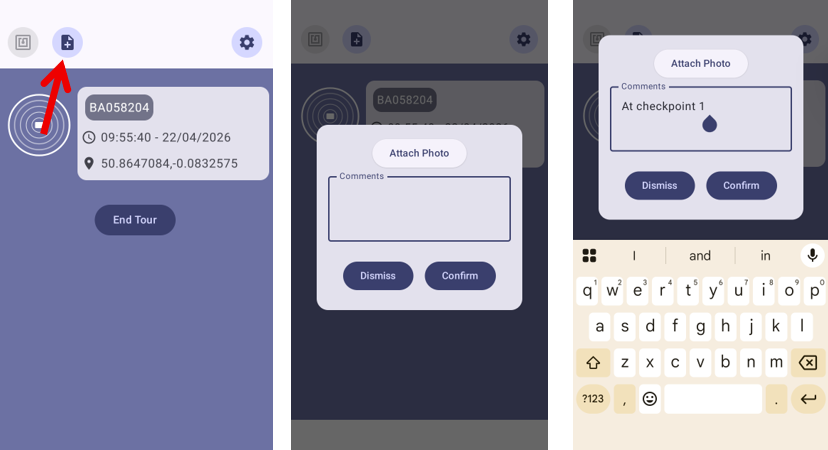
At any point during the tour, a note can be added by clicking on the the top left icon:
From here you can also include a photo:
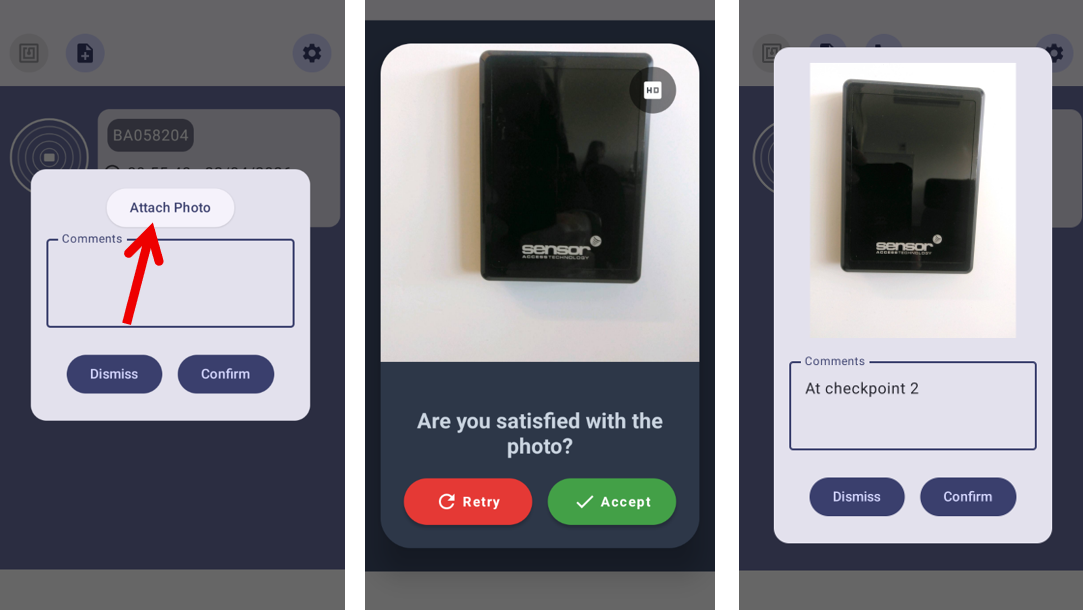
You will see a timeline of all the tags, photos and notes added. When ready, select 'End Tour' to complete patrol:
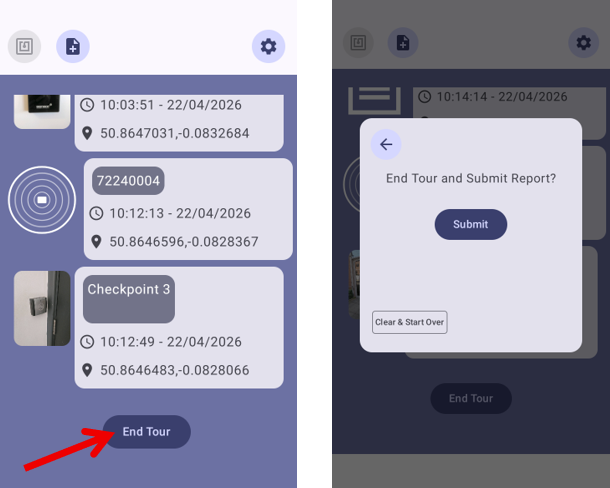
A report will then be sent to the email added earlier in the app settings.
Note: the email will come from: noreply@sensoraccess-tech.co.uk
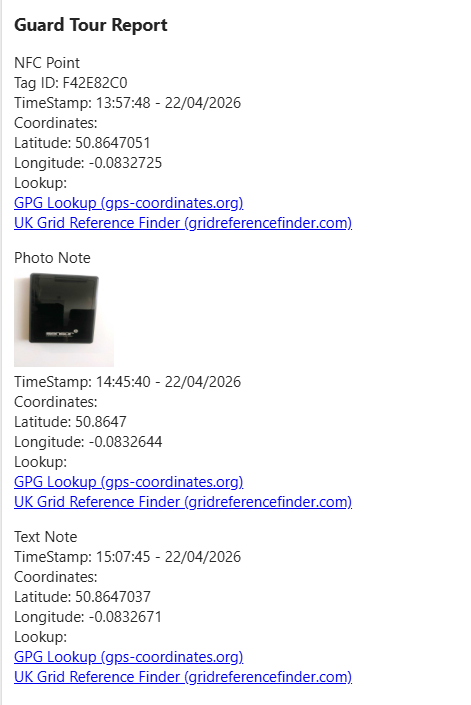
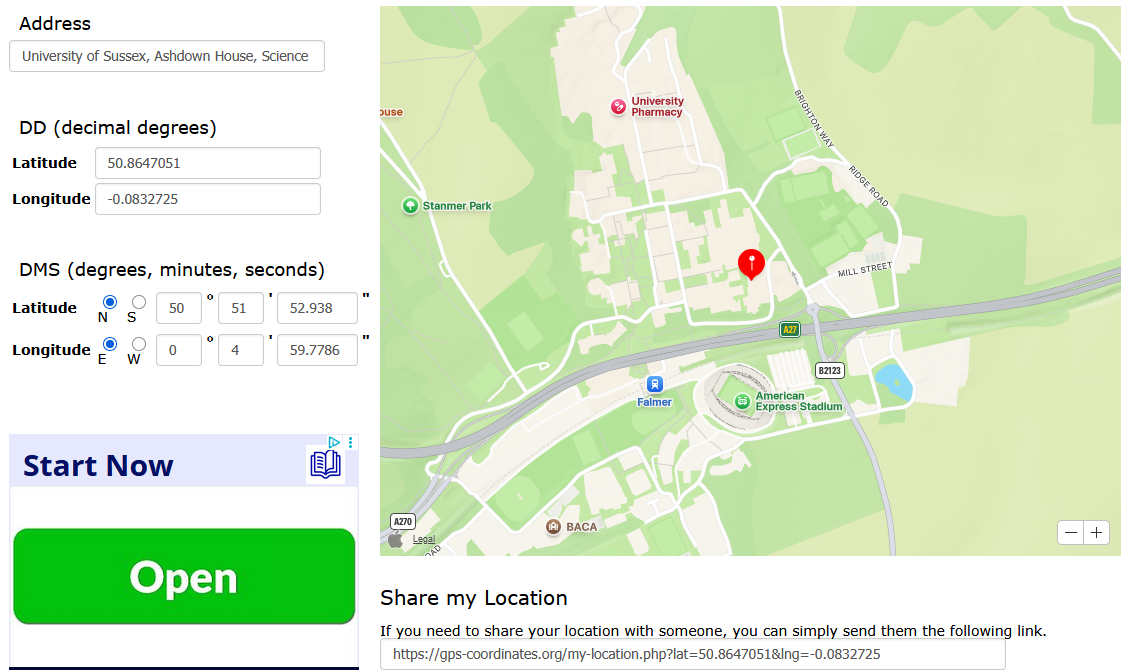
You can click on these GPS links to check the locations:
Was this article helpful?
That’s Great!
Thank you for your feedback
Sorry! We couldn't be helpful
Thank you for your feedback
Feedback sent
We appreciate your effort and will try to fix the article