ELSGW Life Emulator
Click below to download the Lift Emulator:
The IP Address and Port should automatically be filled in. Note these for later:
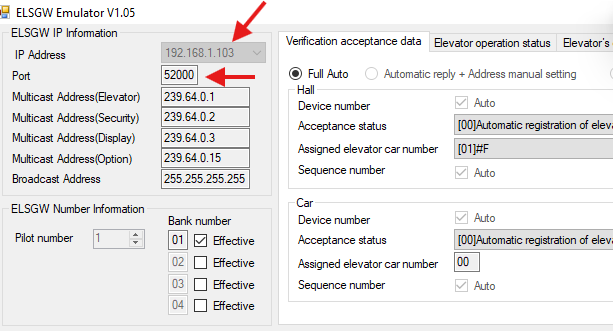
GP10
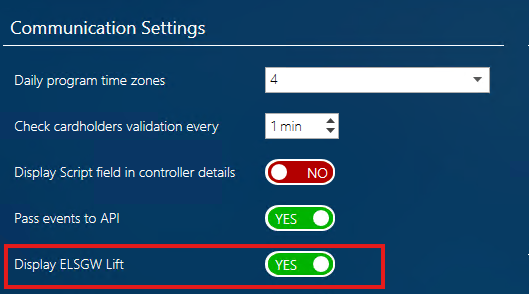
- Go to Setup -> Options and ensure 'Display ELSGW Lift' is toggled on:
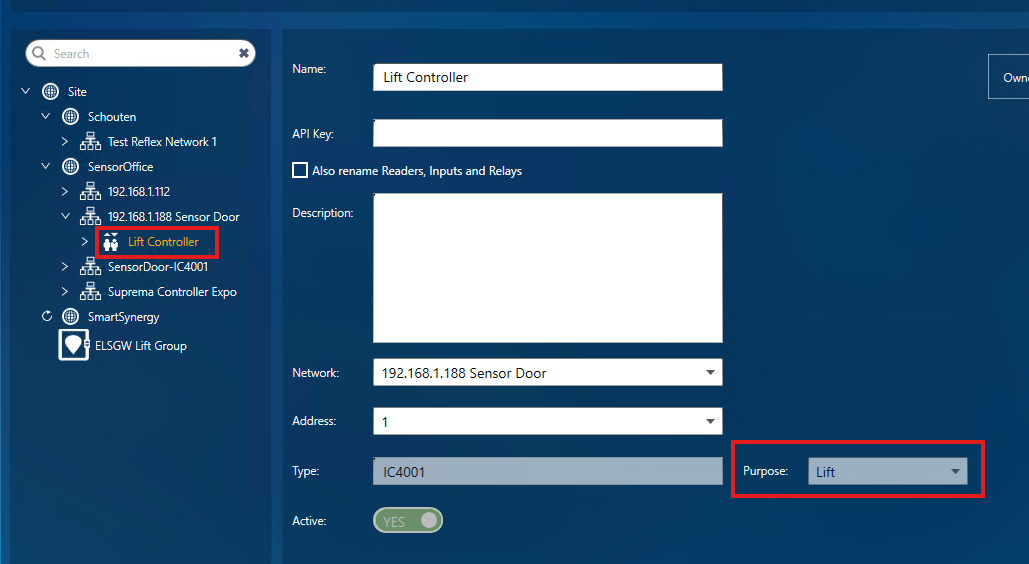
- Within Infrastructure Create a Lift Controller - specifying 'Lift' in the Purpose field:
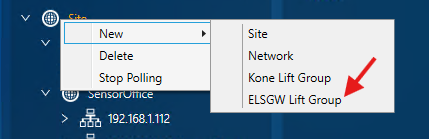
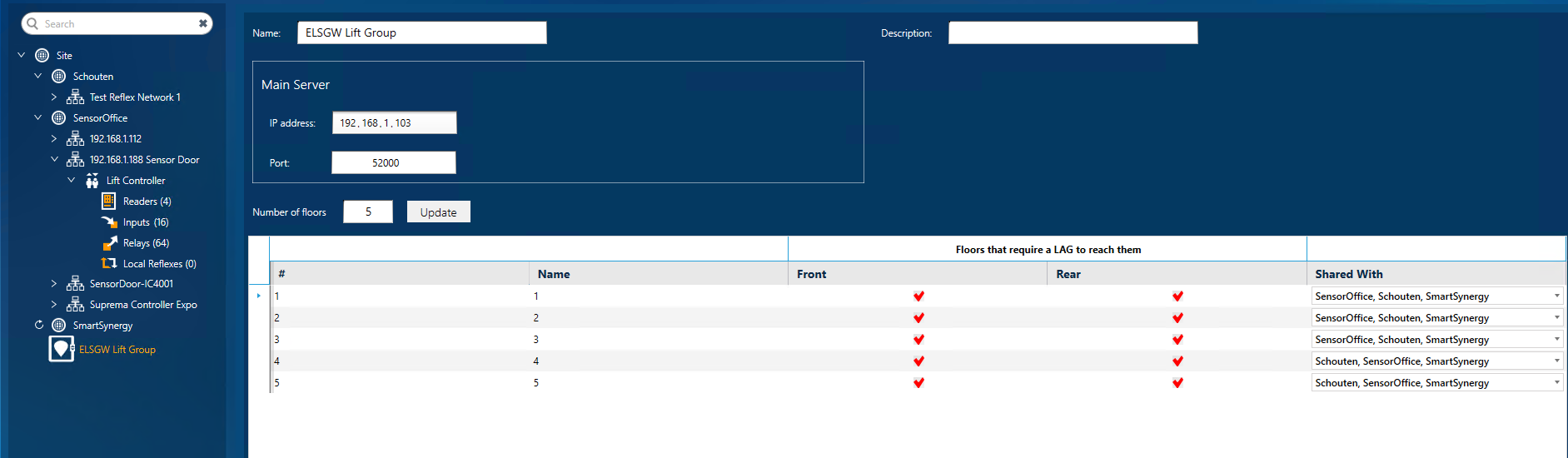
- Create a Group for your lift by clicking on Site -> New -> ELSGW Lift Group
- Add in the IP address and Port from your Lift Emulator.
Specify the number of floors the lift will visit, tick which floors require access groups and if applicable select the relevant sites:
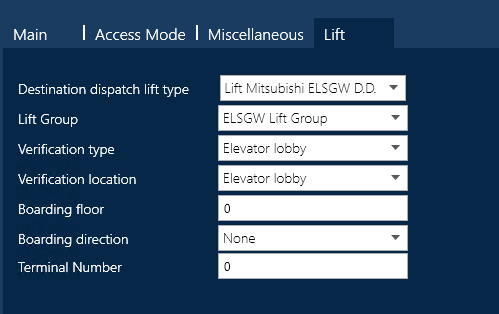
- Open one of the Readers and click on the Lift tab. Add in your Lift Group, and select where the reader will be located:
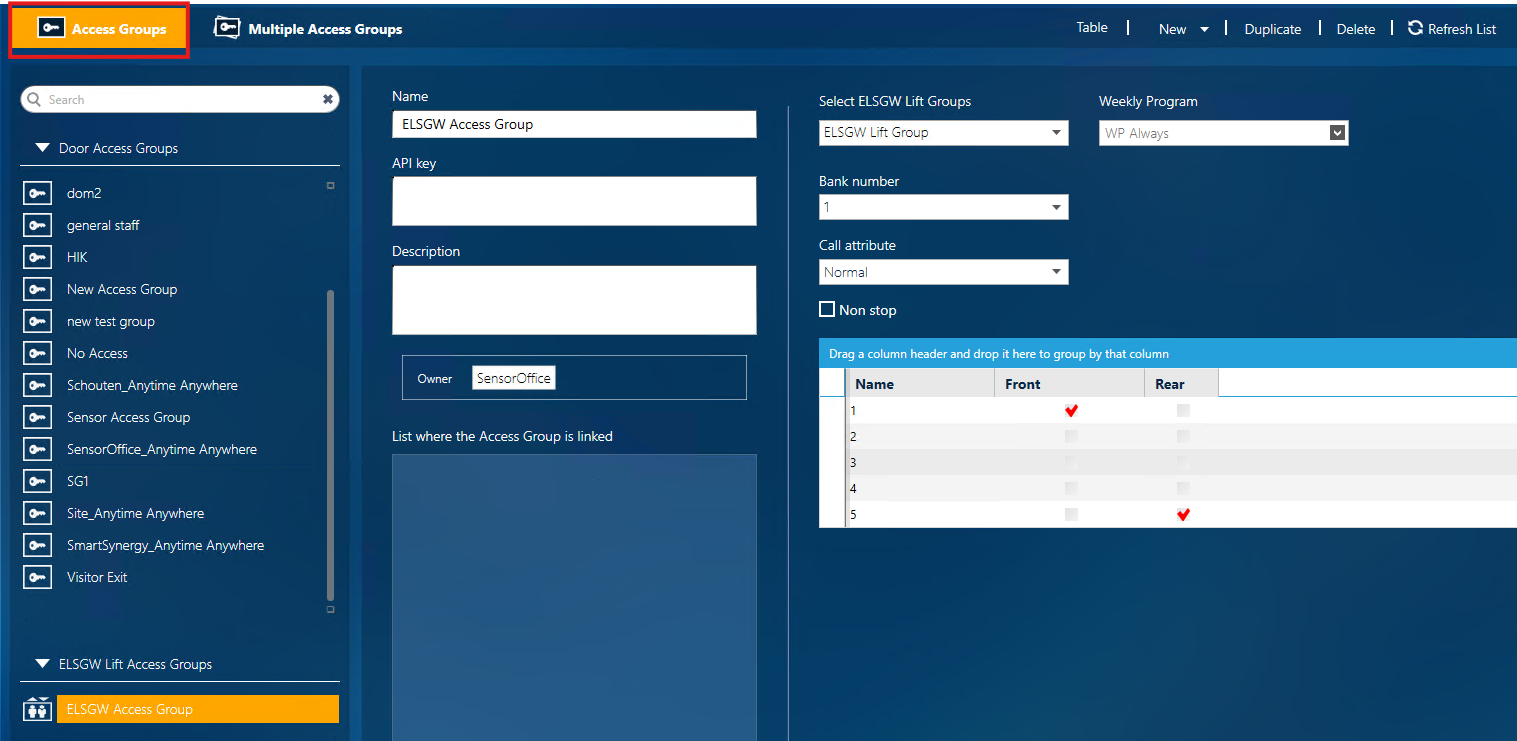
- Go to the Setup -> Access -> New -> Site (if applicable) -> ELSGW Access Group
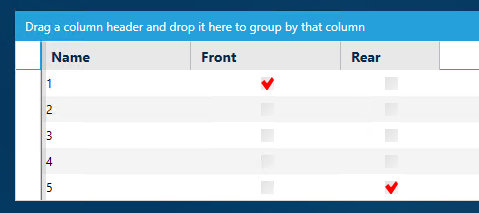
Choose a name (e.g ELSGW Access Group) and select the floors you want to grant access to:
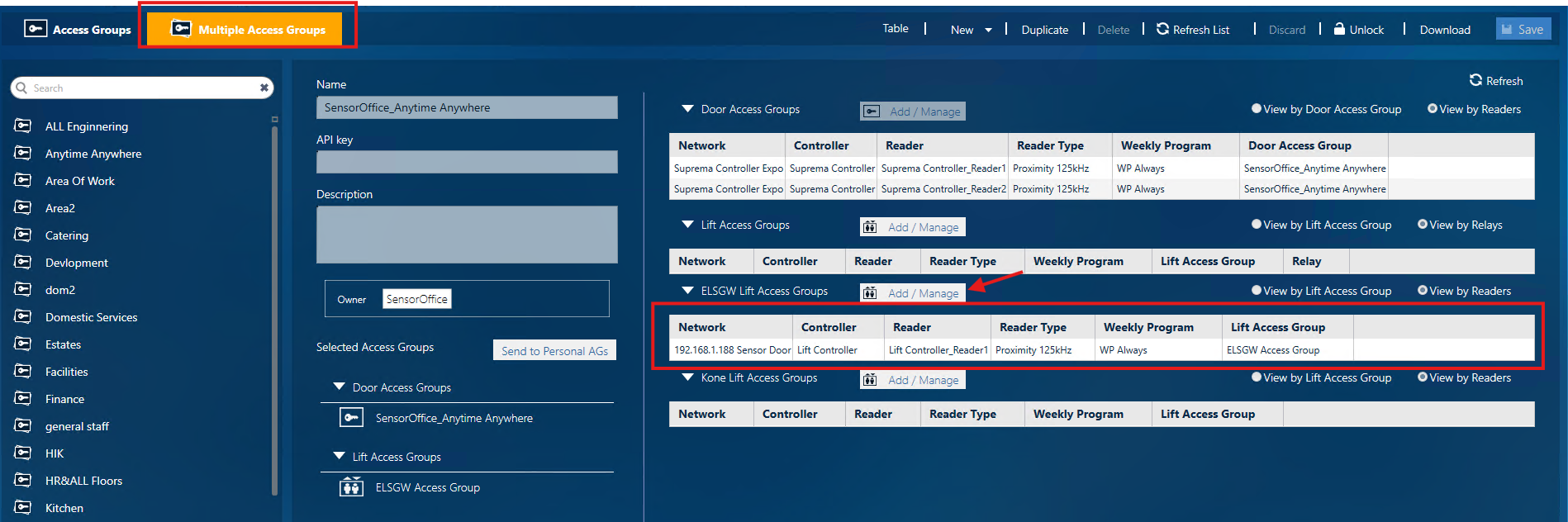
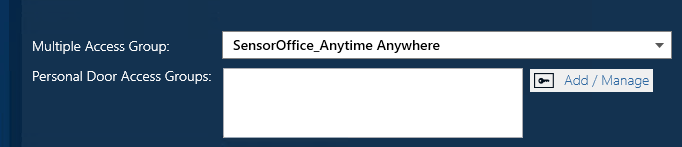
- Select the Multiple Access Groups tab, click on the relevant group on the left and assign the newly created ELSGW Access Group by selecting Add/Manage next to 'ELSGW Life Access Groups'.
E.g now the group SensorOffice_Anytime Anywhere contains ELSGW Lift Access:
- Go to Management -> Cardholders and either setup a new Cardholder or Edit an existing one. Scroll down and add the relevant Multiple Access Group:
Testing
To test everything is working, ensure you have your Emulator running, Swipe the Card on your reader and you should see Access Granted in the Event log within GP10. When the card is swiped, all the details are sent to the lift (Emulator) and the defined floors are then accessible.
Within the Emulator, double click on the Red highlighted ELSGW Receive entry. This will then highlight the floors that cardholder has access to, as defined by the Access Group settings:
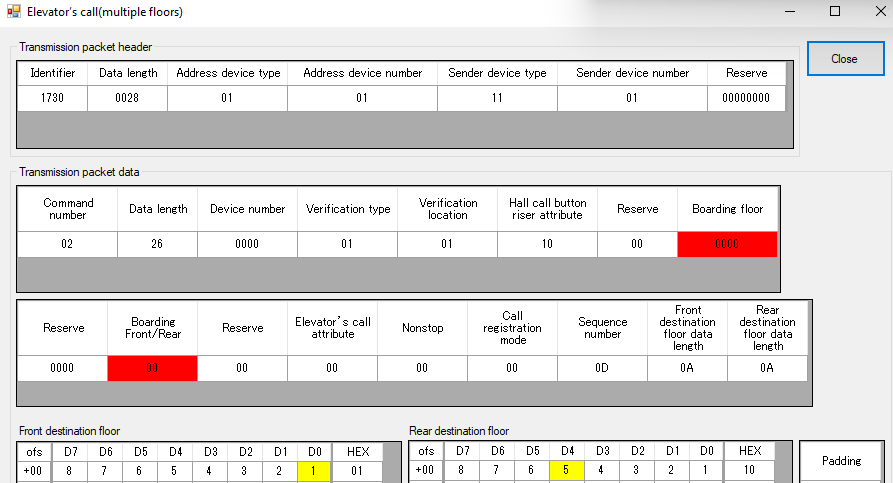
e.g 1 and 5 are highlighted in yellow due to these being ticked in the Access Group settings in GP10:
Was this article helpful?
That’s Great!
Thank you for your feedback
Sorry! We couldn't be helpful
Thank you for your feedback
Feedback sent
We appreciate your effort and will try to fix the article